Skills: use and invoke
A Skill in AgenticHub is a reusable capability unit, common for resume screening, knowledge search, and text processing. You can evolve a Skill in any of three ways: use official skill-creator to turn natural language into a first testable version; maintain it online in the skill repository; or clone a public Skill and develop it locally with Git before pushing it back.
- Skill: A capability module you can mount on an agent or chat flow. It usually defines inputs, outputs, and business rules.
- skill-creator: Generate and iterate in natural language. See Create with skill-creator.
- Skill repository: The central store and distribution entry. See Skill repository and Git development.
In the bottom input bar, open Skills to search and pick personal or official Skills, and use Manage skills to enter maintenance. You can also type / in the input to open the Skill list. See Skill shortcut.
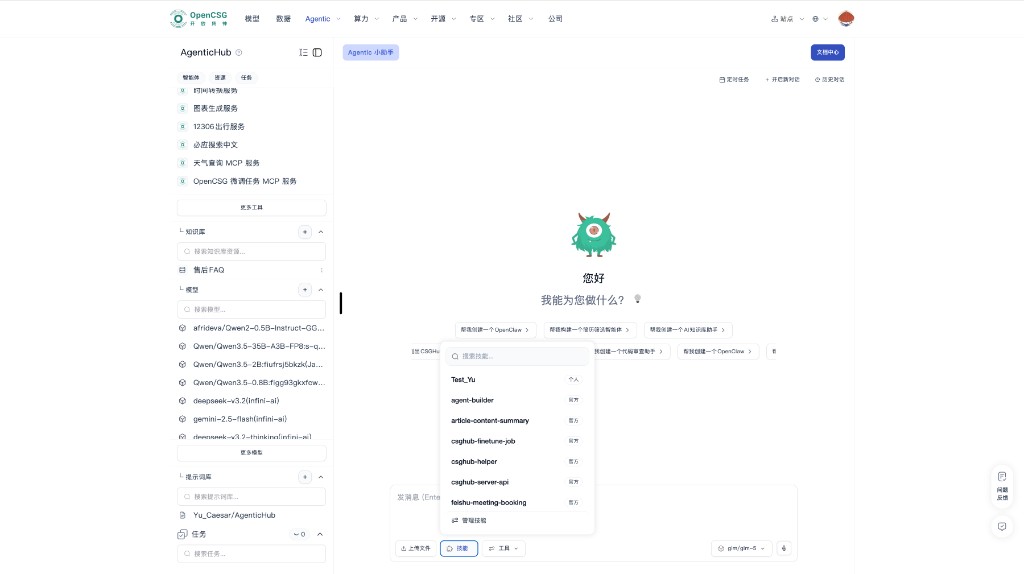
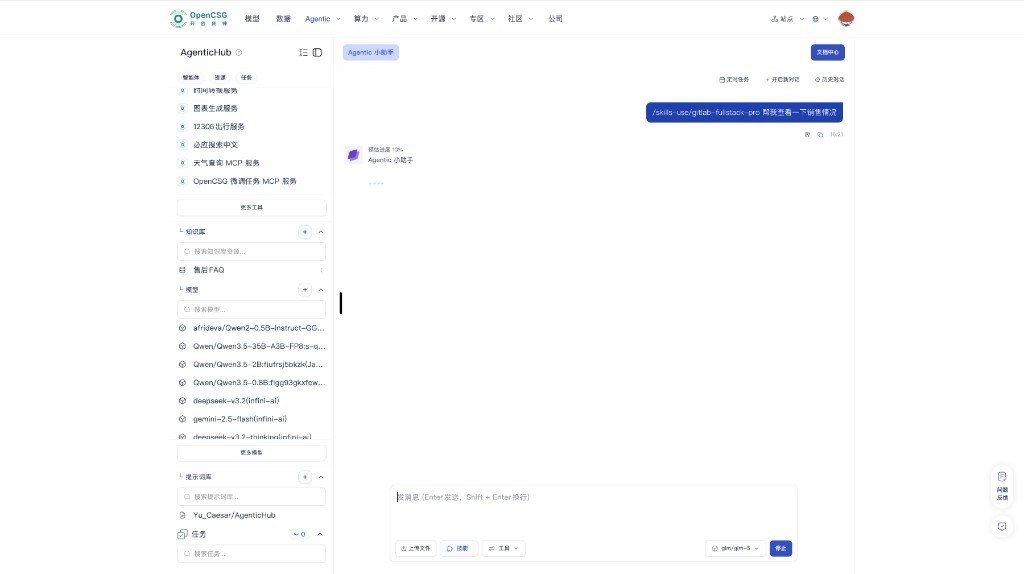
You can also invoke a Skill with /skills-use/<skill-name>:
Mounting and operations
- Cover the main business path first, then add enhancement Skills; on conflicts, disable one by one to locate the cause.
- Document call order when multiple Skills run on the same instance.
- Skills own stable steps; prompts own context and style; tools own external facts and actions.
- Retire or replace unmaintained Skills on a regular cadence.
Publish and security
- Complete security and redaction review before public release; include usage notes and example I/O.
- Never put secrets in public descriptions or examples.