Files and upload
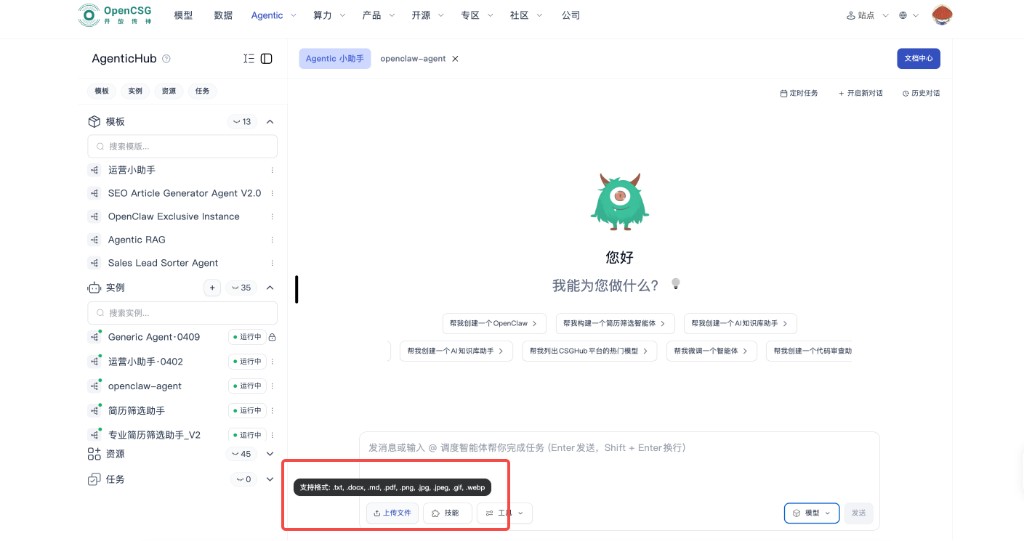
In an instance’s chat page, focus on the bottom input: upload is to the left of skills and tools; on the right are model and send. Hover upload to see allowed extensions.
Typical document types: .txt, .docx, .md, .pdf; image: .png, .jpg, .jpeg, .gif, .webp. Per-file size, total attachments, and drag-and-drop rules follow the console. For large files, split uploads and verify hashes locally before submit.
- Redact or label sensitivity before upload; if content will be indexed or kept long term, align with the data owner on class and visibility.