Scheduled tasks
Scheduled tasks run a prompt for a selected agent at a set time—good for standup reminders, daily digests, and periodic “run this instruction” work. The steps start from the instance chat; schedule types, time zones, and retries follow production.
Step 1: Open the instance and scheduled tasks
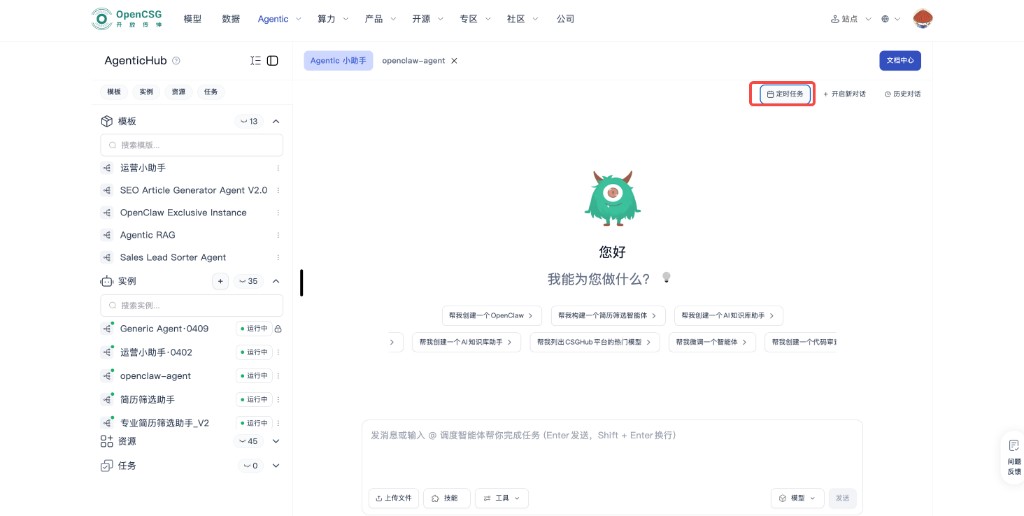
Select an instance, open its chat. On the top bar, next to New conversation and History, use Scheduled tasks to open the manager.
Step 2: List and enable/disable
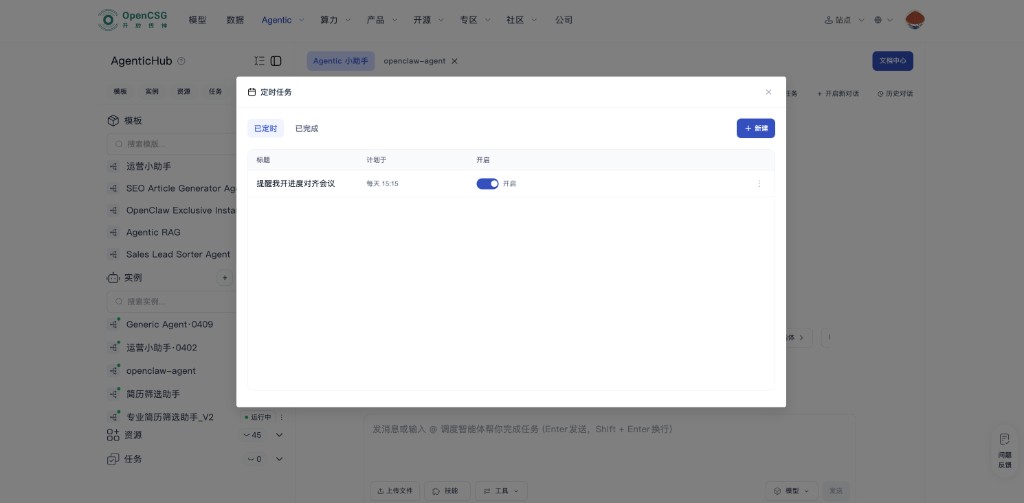
The dialog is titled for scheduled work; Scheduled and Completed (or similar) split upcoming vs. history. The scheduled table has title, next run, enabled, etc.; per-row toggles can pause without deleting. New (often top right) creates a rule; row menus support edit/delete.
Step 3: Create and save
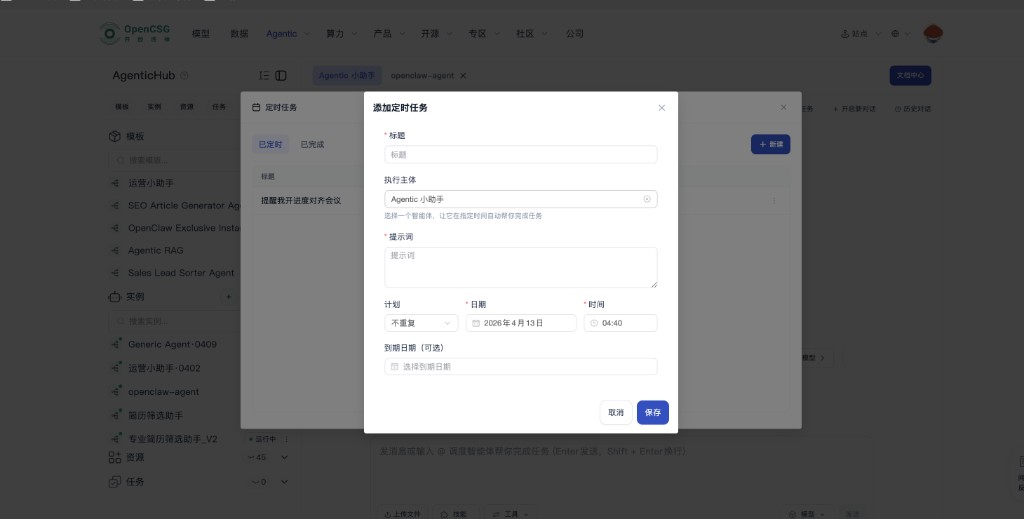
New opens Add scheduled task (or similar). Title and Prompt are required: title is for the list; Prompt is the full instruction the runner receives (context, output shape, guardrails). Run as selects which agent runs in the background. Schedule picks frequency, e.g. once or daily—values follow the form—then date and time. Repeating jobs may have an optional end date. Save to commit; Cancel to leave.
Recommendations
- Make prompts self-contained: include context and what to do on failure, so a human does not have to be online.
- For recurring jobs, align platform time with business calendars; recheck before long holidays.
- If the run-as agent can call sensitive tools or knowledge bases, follow least privilege and audit—do not let scheduling widen data exposure.
Tying to resources and troubleshooting
- If the run depends on a knowledge base or uploads, see update cadence in Knowledge base and RAG.
- Did not run — in Scheduled, toggle on, run-as still valid, schedule/time in the past or future, account/space permissions unchanged.
- Duplicate or wrong runs — check once vs repeat, end date, and multiple rules at the same time with clashing prompts.