Catalog Operations
Open Instances → Operations. Administrators can manage recommendations, listing, and ordering for public agents, templates, skills, tools, knowledge bases, prompt libraries, and quick-start templates.
Permissions and user-facing locations
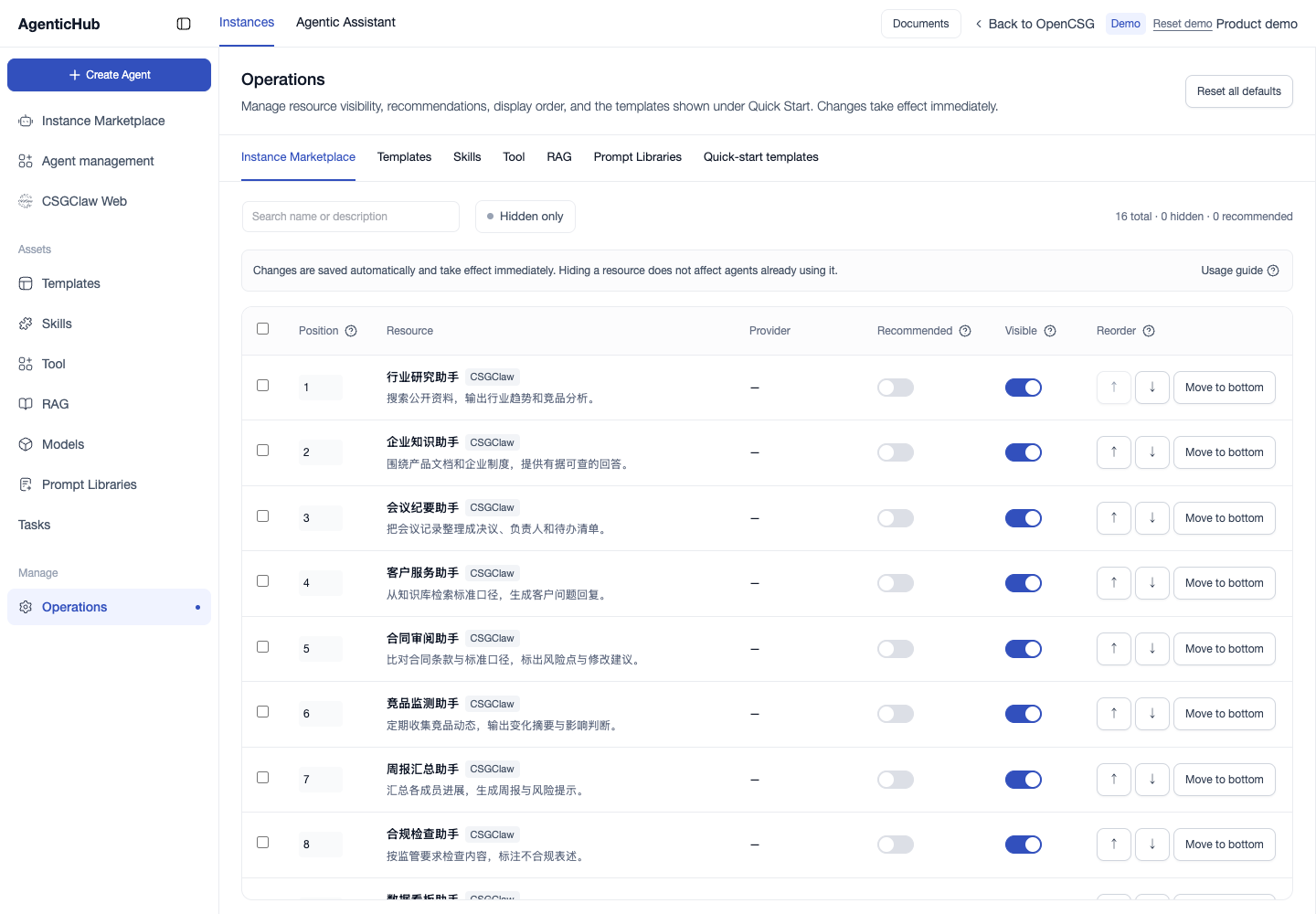
In the Community Edition, super administrators can open Operations. In other editions, site administrators can open it. For editions with dedicated agent and template curation, super administrators can view the complete listing state and modify it. Other administrators can view the public list. Changes to other categories require write access to site catalog settings.
The Instance Marketplace and Templates tabs apply to their public lists. Quick-start Templates applies to the eligible public CSGClaw templates on Create Agent. Skills, tools, knowledge bases, and prompt libraries apply to their resource lists. Tools and knowledge bases can include non-public entries the administrator can already access. Their access permissions still apply. Check both template locations after changing the public template listing.
Apply and verify changes
- Choose a tab, search by name or description, and verify the provider.
- Turn Recommend on or off. Toggle Display to list or unlist an item. To locate unlisted items, enable the unlisted-only filter.
- To reorder, use the arrows, enter a position starting at 1, or move the item to the bottom. With dedicated curation, recommended and ordinary items have separate position ranges. Restore a hidden item before moving it.
- For bulk changes, select items or use the header checkbox for the current filtered results. Verify the selection count, then apply the desired action.
- Wait for the save result, then open the affected list as a normal user.
Unlisting changes the public directory. Existing references remain in place. To change authorization, see resource access or agent sharing.