Model API Quickstart
If your AI app supports a custom OpenAI-compatible provider, enter these three settings. This example uses deepseek-v4.1-flash-1017.
| App setting | What to enter |
|---|---|
| API base URL | https://opencsg.com/aigateway/v1 |
| Model name | deepseek-v4.1-flash-1017 |
| API key | Your gateway key from API key settings. |
For API base URL, use the URL ending in /v1. Add /chat/completions only if your app explicitly asks for the full chat completions endpoint.
1. Find the model name
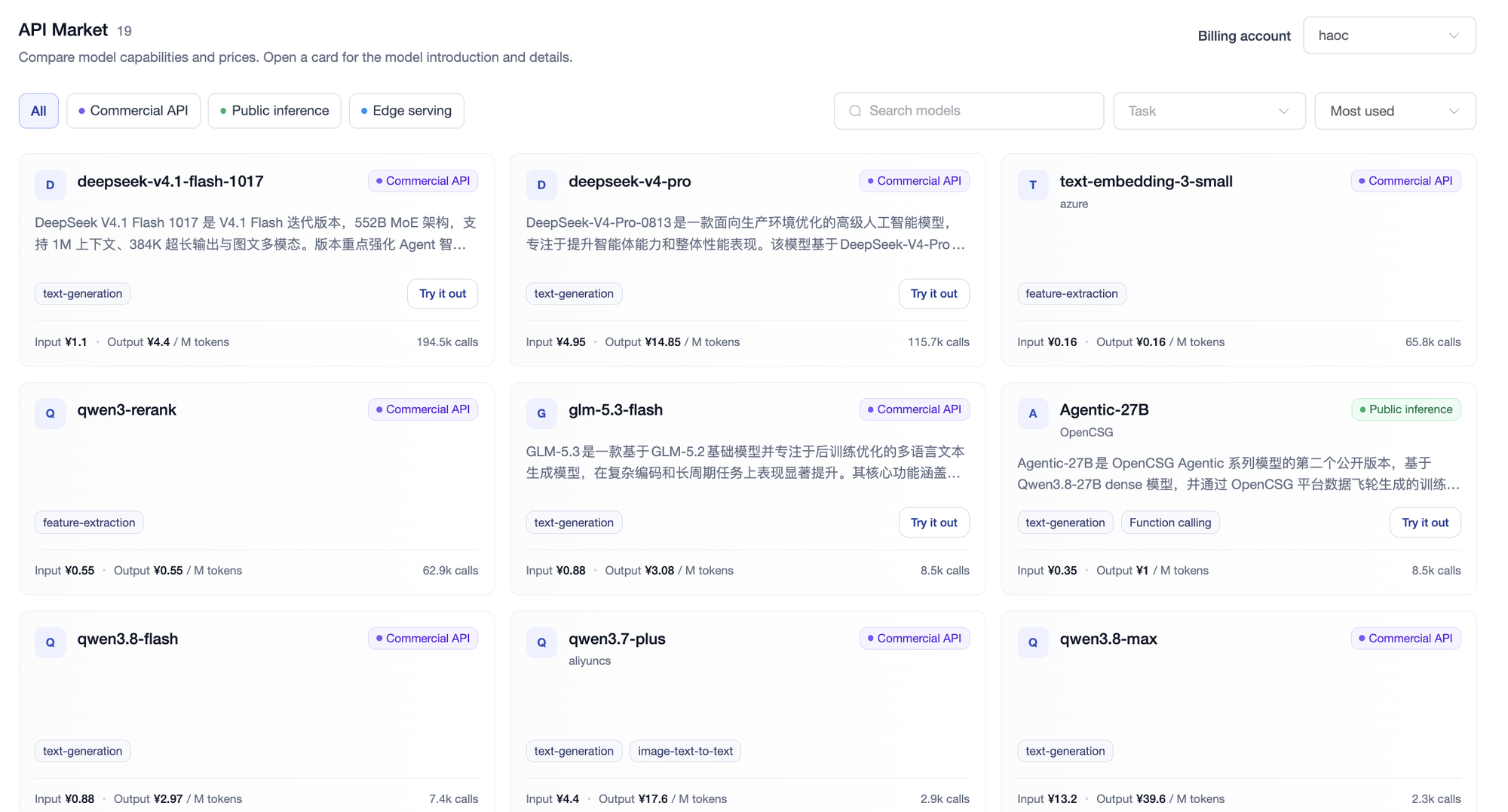
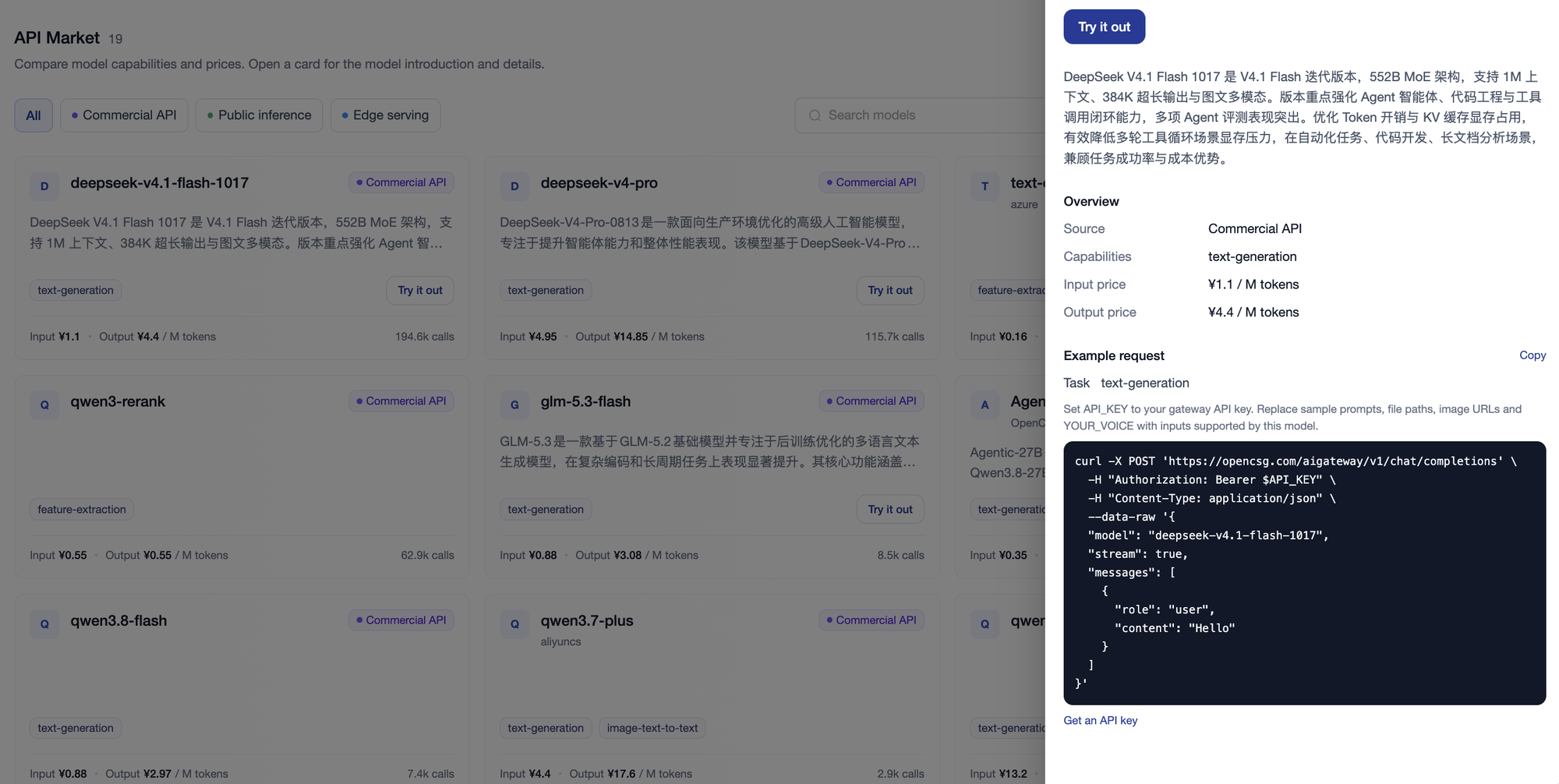
Go to OpenCSG and select Model API. In API Market, use Search models to find deepseek-v4.1-flash-1017 and click its card. If you choose a different chat model, copy the exact model value from Example request in the model details panel.
2. Create an API key
Sign in and open your personal API key settings, or click Get an API key below Example request. If you want to make calls on behalf of an organization, create the key under Organization Settings → API Keys. For details, see the API Keys guide.
Click Create API Key, enter a name, and click Confirm. The full key (starting with gw-sk-) is shown only once, so copy and store it securely before closing the dialog. Paste only the key into your app, without Bearer or quotes. Do not use a Git Access Token.
3. Save and test
Save the settings and send a short message such as Hello. If the request fails, check that the base URL ends in /v1, the model name matches the model value exactly, and the gateway key is enabled and hasn't expired.