Create Dedicated Endpoint
Create Dedicated Endpoint
Click "Deploy" button on model page, select "Dedicated Endpoint" from the drop-down menu and jump to the creation page.
Note: Not all models support creating dedicated instances. If you want to use a model that does not have the "dedicated instance" option, please contact us.
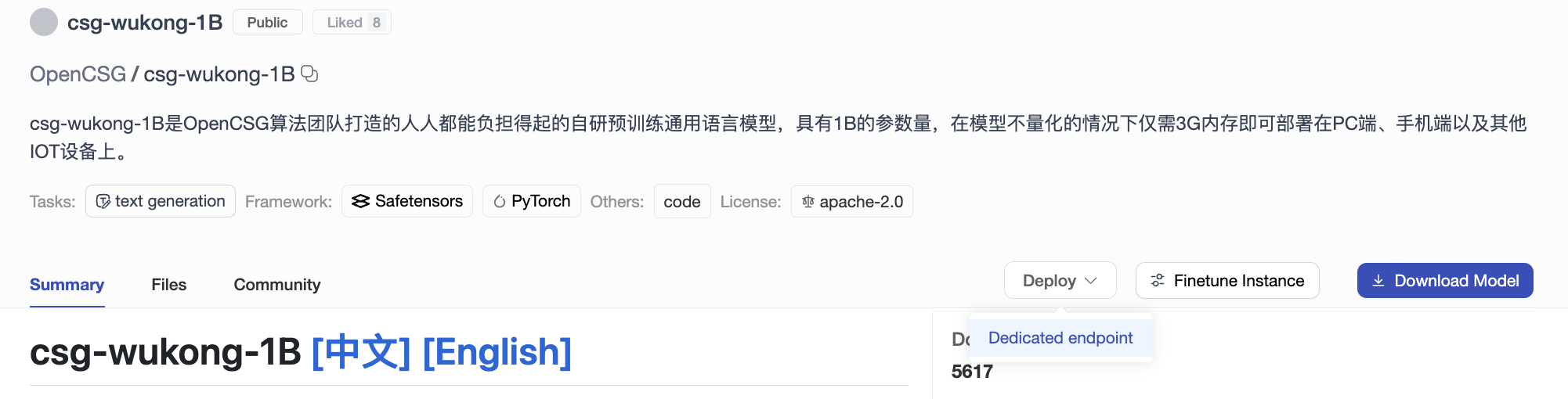
New Instance Page
Open the dedicated instance creation page, fill in the following basic information and click "Create Instance" to create.
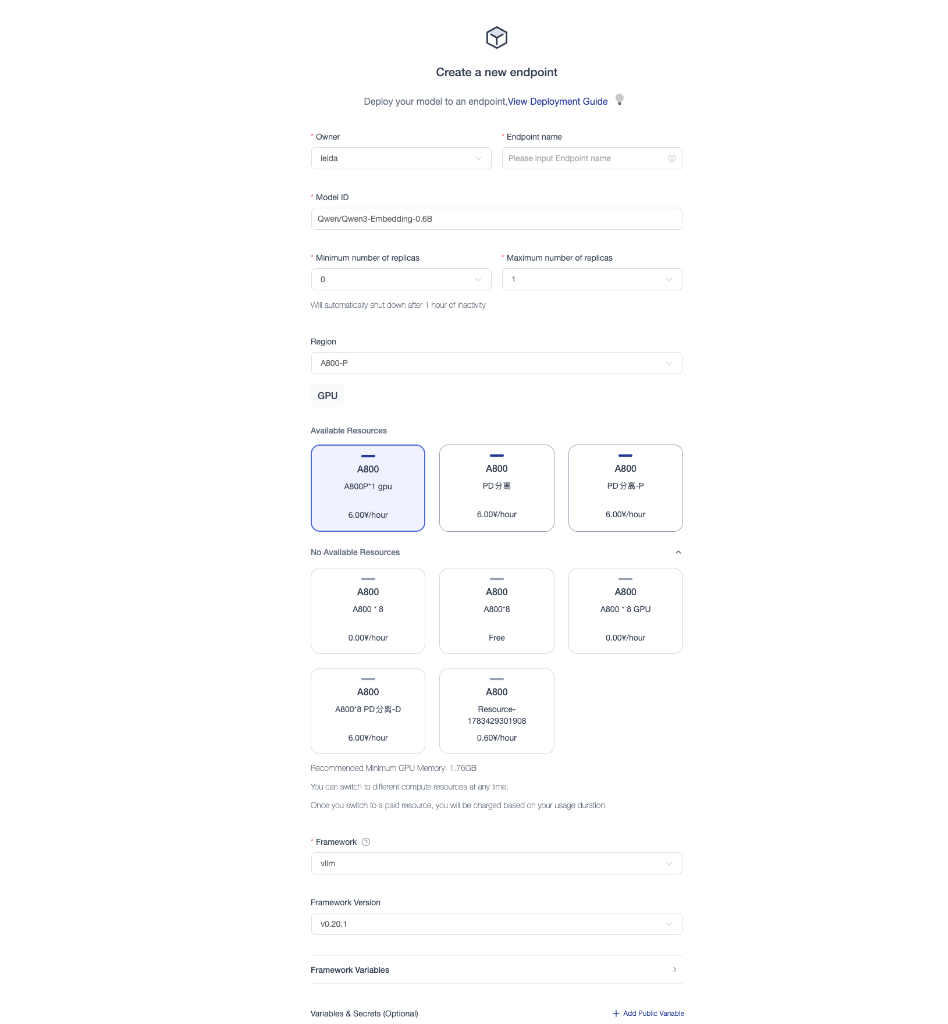
- Instance Name: Custom, cannot be repeated
- ModelID: Select the model ID from the list of available models on the csghub community
- Region/Resource: Select the compute resource to deploy dedicated instance
- RunTime Framework: Select inference framework, supporting specifying framework version and setting runtime parameters
- PD Separation: Supports enabling PD (Prefill/Decode) separation for models larger than 100B
- Environment Variables: Supports adding custom environment variables for specific runtime configurations
- Security Level
- Public: callable by valid platform users with personal API Keys; authentication is still required. Management pages remain restricted.
- Private: callable by the owner; use the personal owner Key or the organization Key for an organization instance.
- Replicate: Number of instances to replicate
- Range: 1~5 (default is 1)
Dedicated Endpoint List
After the creation is complete, you can view all dedicated instances on the profile page.