Configure External Casdoor
CSGHub includes a bundled Casdoor instance by default, which initializes its own organization, applications, JWT signing certificate and administrator. This document describes how to configure a Kubernetes (Helm) deployment to use a Casdoor instance that is operated separately (global.casdoor.enabled: false).
With an external Casdoor instance, the chart no longer creates any Casdoor object. The objects below must be created in the Casdoor instance beforehand, and the resulting credentials copied into the chart values.
The chart assumes a Casdoor schema compatible with the bundled image (
casbin/casdoor:3.62.1). Older releases may not provide all settings referenced in this document (for example the Signin session toggle) and cannot be configured correctly with CSGHub.
1. Prerequisites
- A reachable Casdoor instance. HTTPS is recommended for production; plain HTTP is acceptable for local or internal testing. The endpoint must be reachable from both the browser and the CSGHub server pods, and the Casdoor
originsetting must equal the URL configured inglobal.casdoor.external.endpoint, including the scheme. - Administrative access to the Casdoor instance.
- The CSGHub endpoint (
global.gateway.external.domain, with TLS as configured). It is used to construct redirect URIs. - A Kubernetes Secret holding the JWT signing certificate (created in step 4).
2. Confirm the endpoint
curl -sS https://sso.example.com/.well-known/openid-configuration | jq -r .issuer
The issuer must equal https://sso.example.com, without a trailing slash. If it does not match, correct the Casdoor origin / frontend URL before continuing.
Casdoor derives the issuer and all advertised endpoints (authorization_endpoint, token_endpoint, userinfo_endpoint) from origin. In-cluster components use these endpoints, and the Temporal console validates the ID token issuer against global.casdoor.external.endpoint. An origin set to localhost or another address unreachable from the cluster therefore results in a failed token exchange.
3. Create the organization
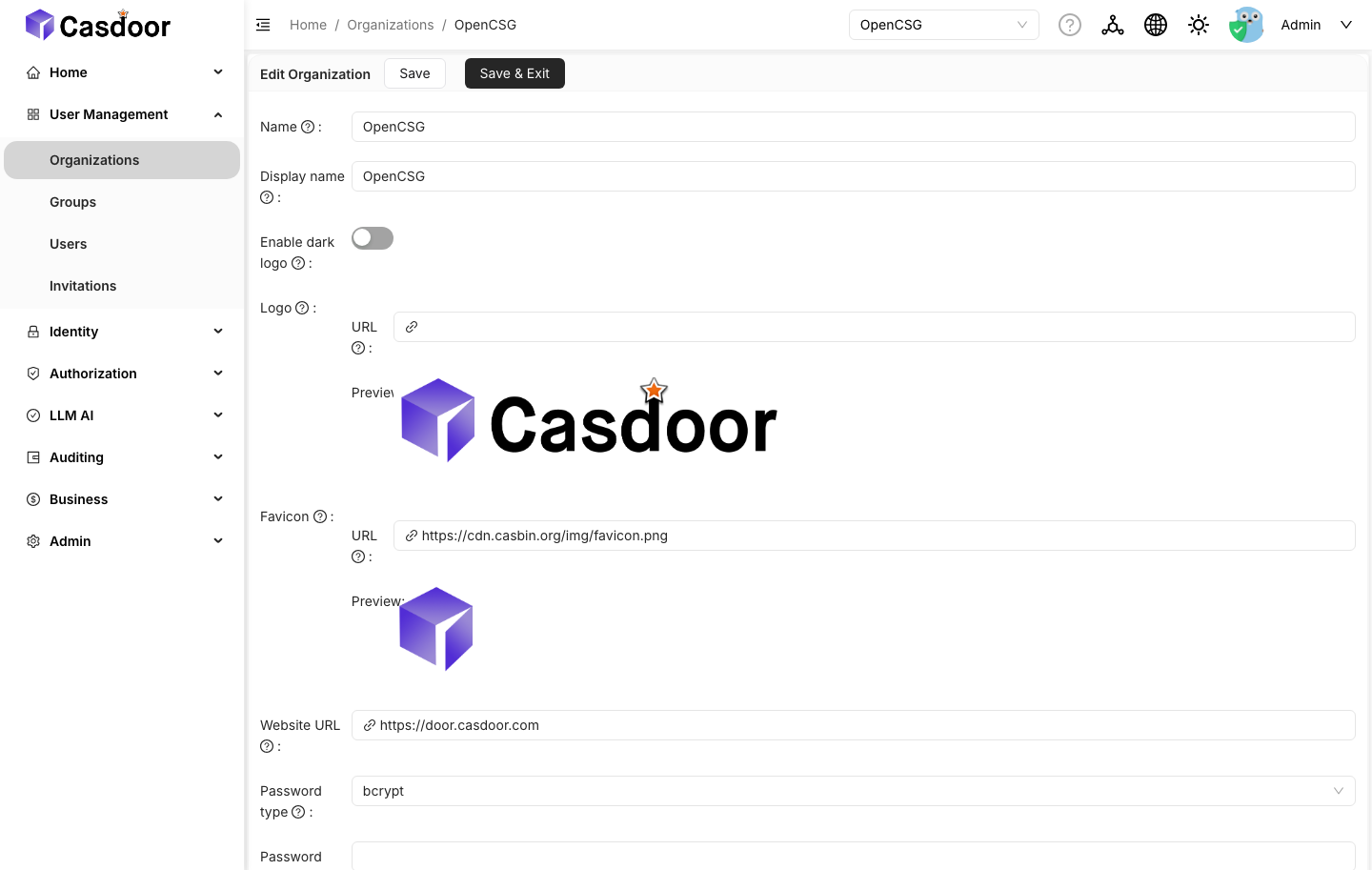
In Casdoor: Organizations → Add.
- Name:
OpenCSG(or a custom name; setglobal.casdoor.organizationaccordingly) - Password type:
bcrypt, saltOpenCSG - Account items: retain
TagandIs admin(details below)
Default application: leave empty at this stage. The dropdown lists only existing applications, and CSGHub is created in step 5. The remaining attributes (logo, theme, languages, password policy, ...) may be configured as required; they do not affect the CSGHub integration.
Account items
The Account items table of an organization determines which user fields are displayed in the signup and profile forms. CSGHub reads the user Tag field and the administrator flag, so both rows must remain in the table.
Open Organizations → OpenCSG → Edit and scroll down to Account items.
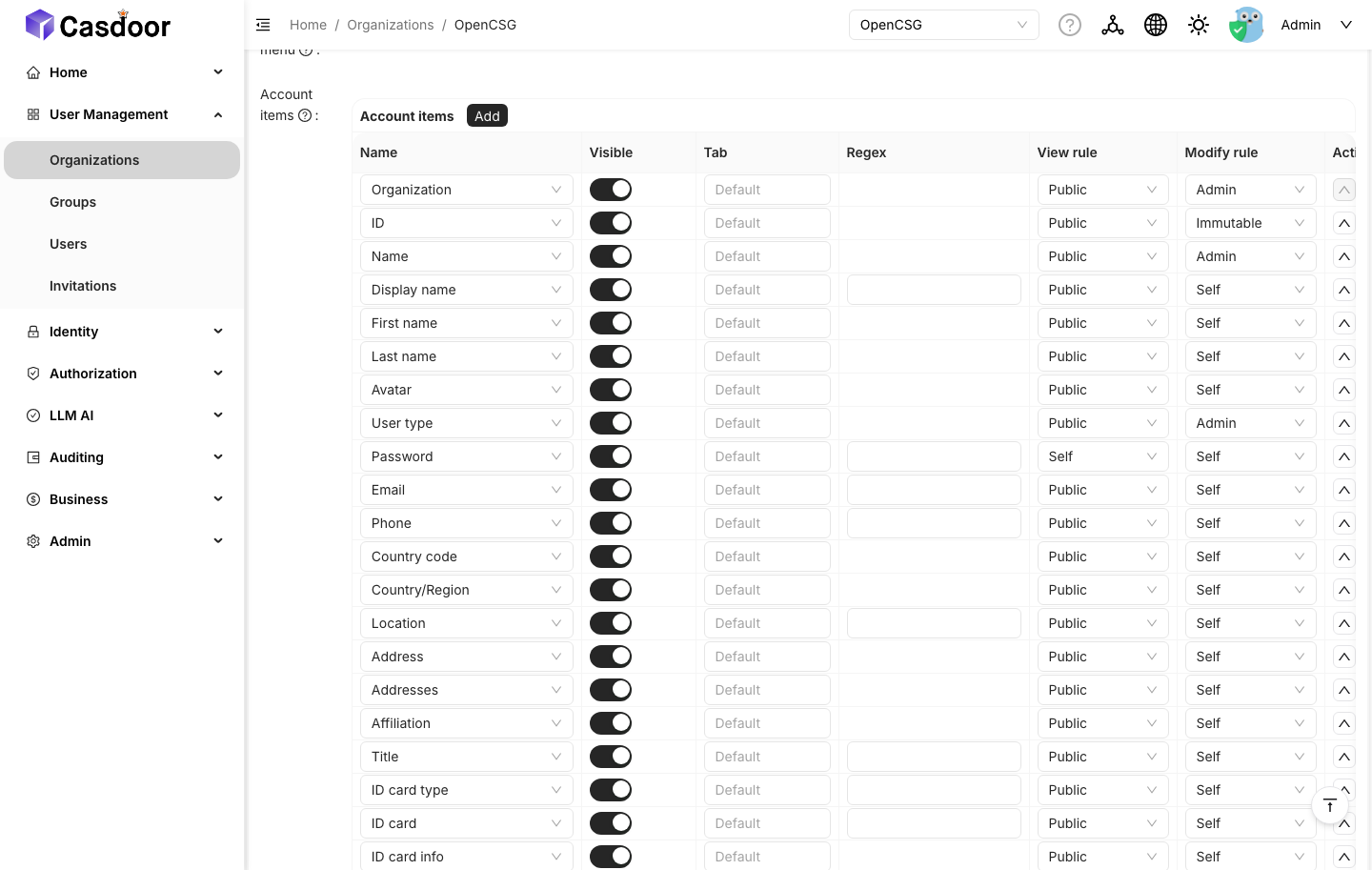
The table is pre-filled with the default items. Locate the following two rows:
| Name | Visible | View rule | Modify rule |
|---|---|---|---|
Tag | on | Public | Admin |
Is admin | on | Admin | Admin |
These are the Casdoor defaults and match the bundled deployment, so a new organization already conforms. When editing the table:
- The Name column is a dropdown of known Casdoor items, not a free-text field. If a row is missing, click Add in the Account items card header and select
Tag/Is adminfrom the dropdown. The stored name is the English key even when the UI is set to another language. - The View rule and Modify rule columns are rendered only while the row is visible.
Is adminis an administrative item, so its modify rule is limited toAdmin/Immutable.
Removing either row does not affect sign-in, but the corresponding field no longer appears on the CSGHub profile page.
4. Create the JWT signing certificate
In Casdoor: Certs → Add.
- Organization:
OpenCSG - Name:
csghub-cert - Scope:
JWT - Type:
x509 - Algorithm:
RS256, bit size4096
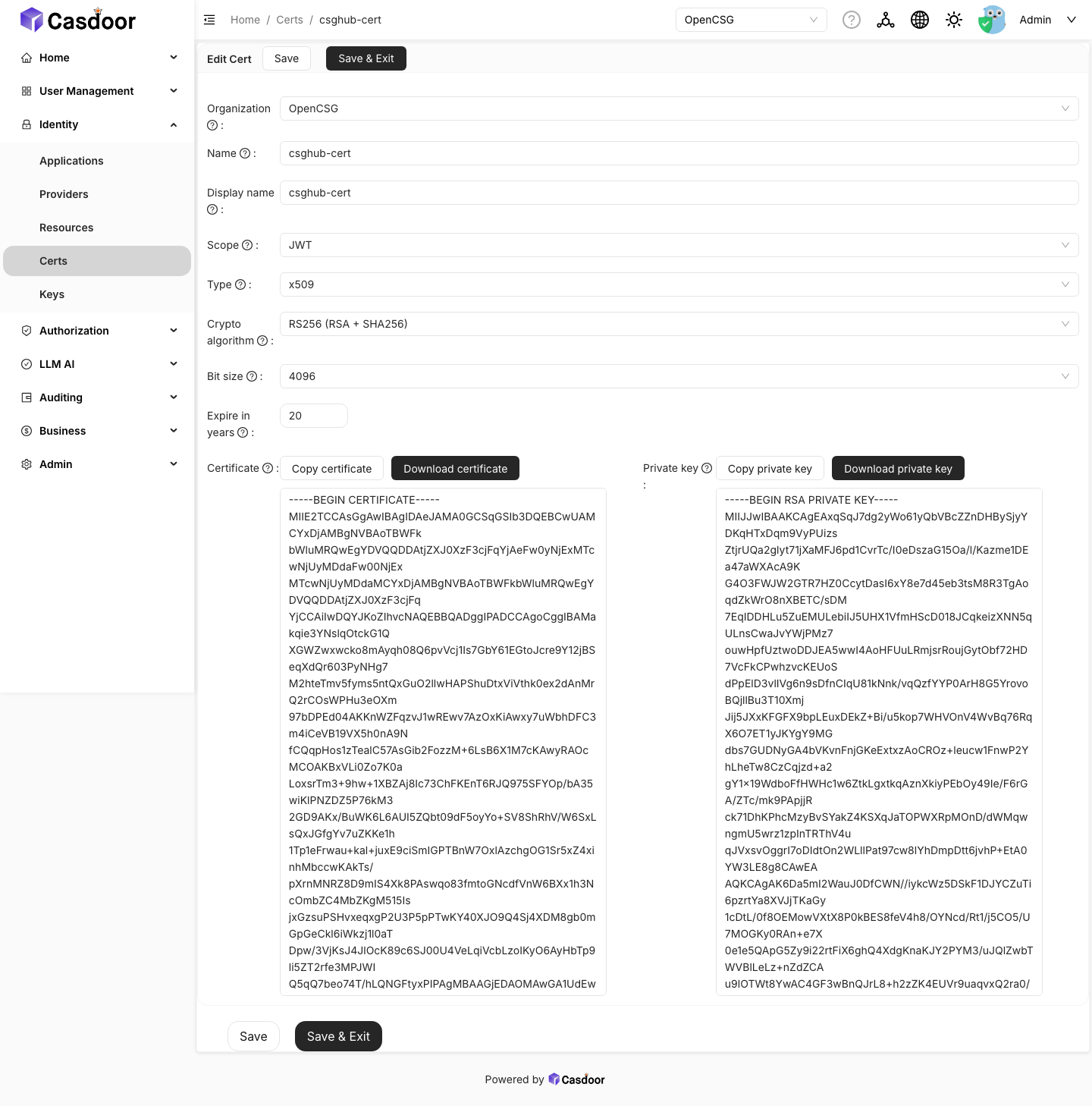
Casdoor generates the key pair. Export the public certificate (not the HTTPS certificate of the Casdoor endpoint) and create the Secret:
# tls.crt must contain the PEM certificate of the csghub-cert signing key
kubectl create secret generic csghub-casdoor-cert \
  --namespace csghub \
  --from-file=tls.crt=./csghub-cert.crt
The chart mounts this Secret into the server, user and executor pods and points STARHUB_SERVER_CASDOOR_CERTIFICATE at tls.crt.
5. Create the CSGHub application
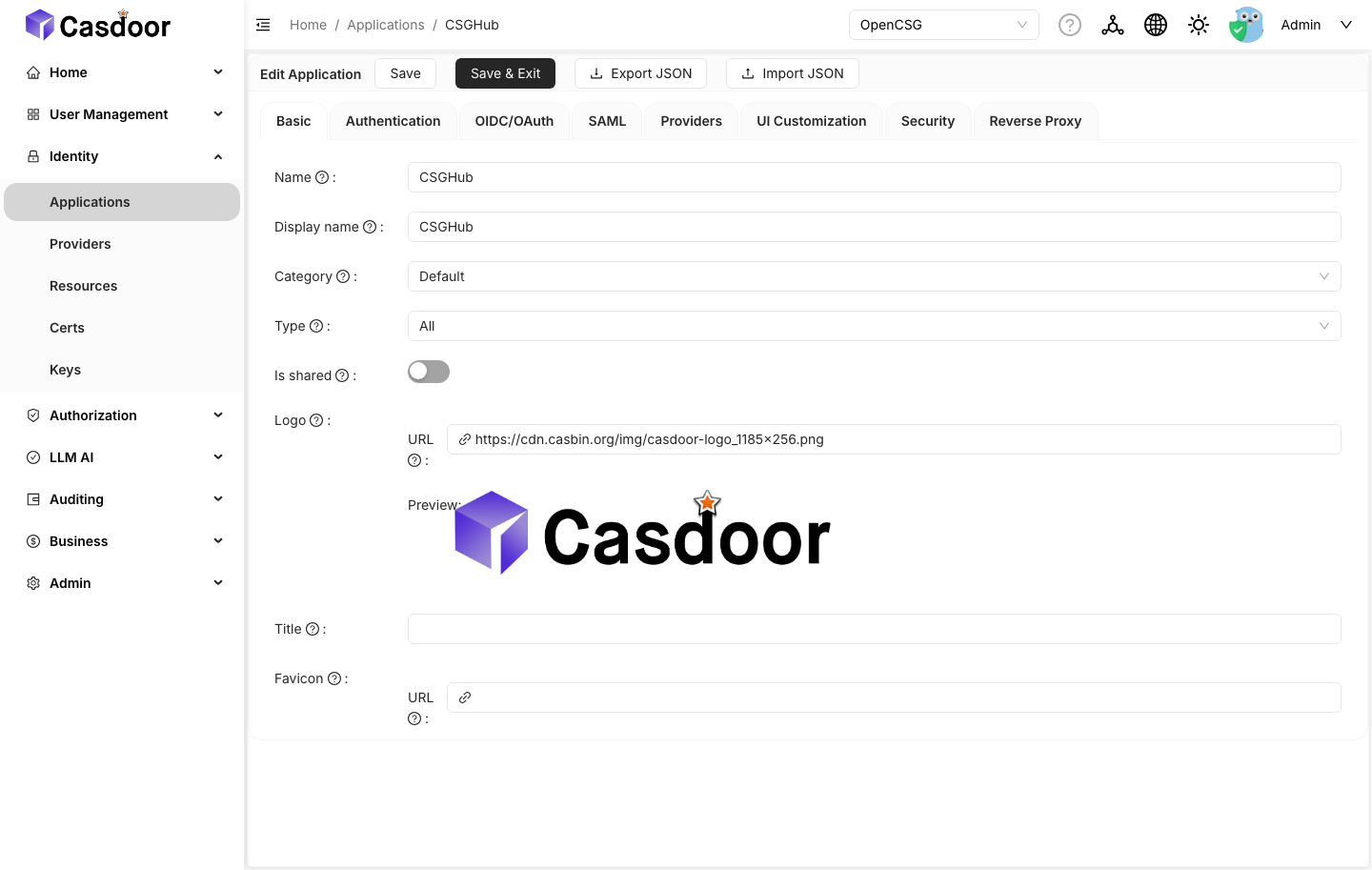
In Casdoor: Applications → Add. The settings are distributed across several tabs.
Basic
- Name:
CSGHub(or setglobal.casdoor.application) - Organization:
OpenCSG - Cert:
csghub-cert - Redirect URI:
<csghub-endpoint>/api/v1/callback/casdoor
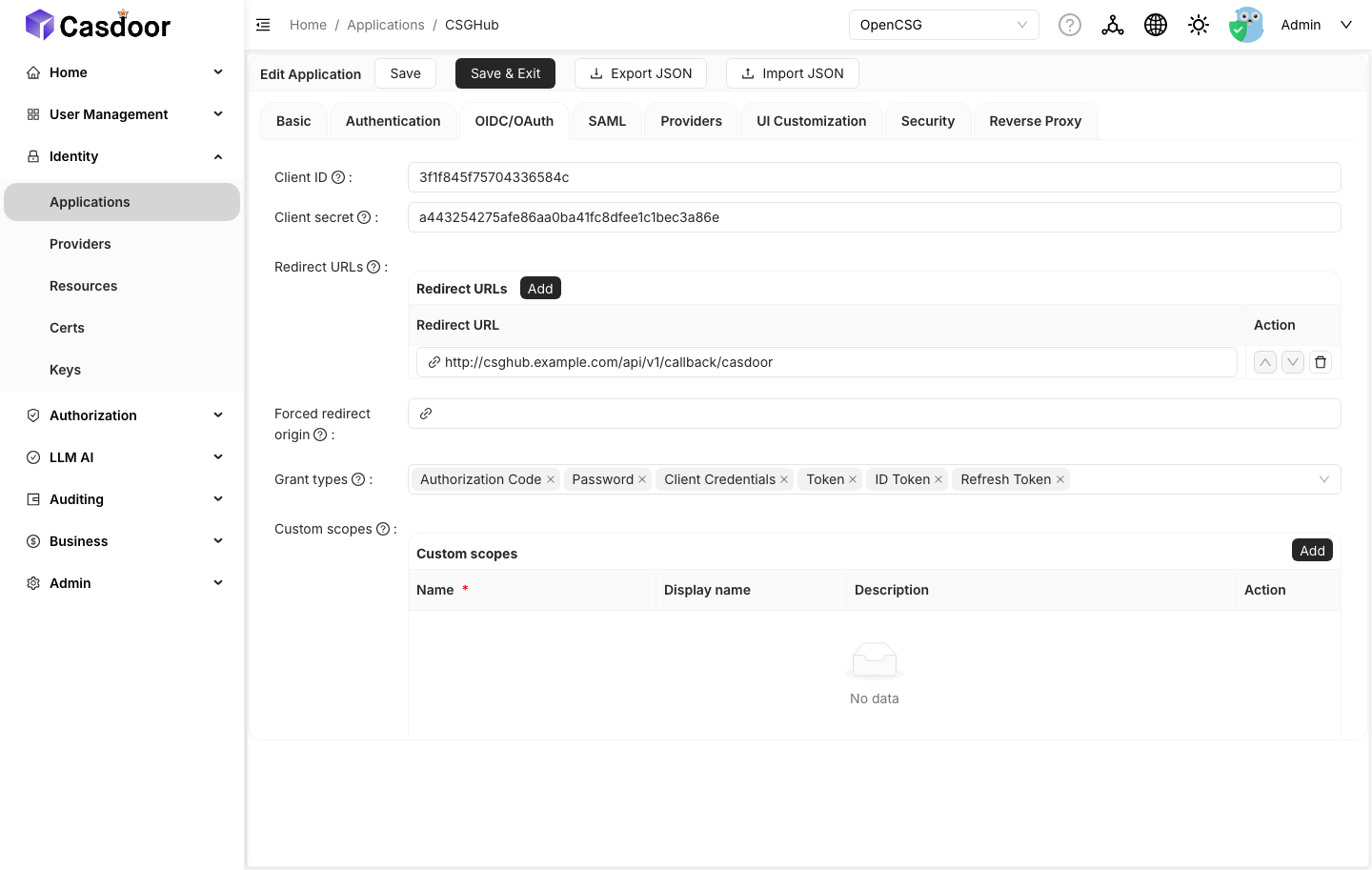
OIDC/OAuth
- Token format:
JWT - Grant types:
Authorization Code
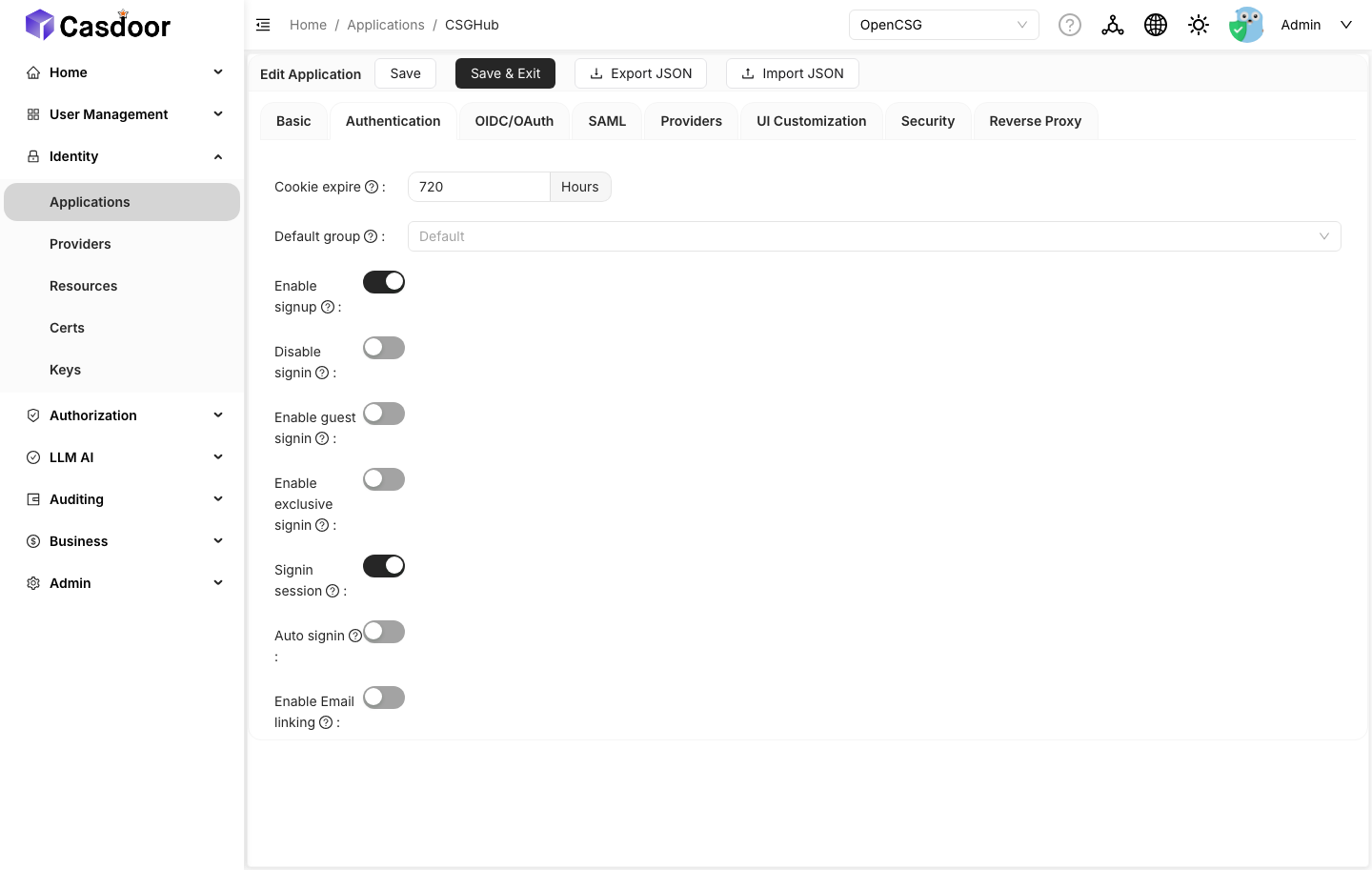
Authentication
- Signin session: on
- Enable signup: on
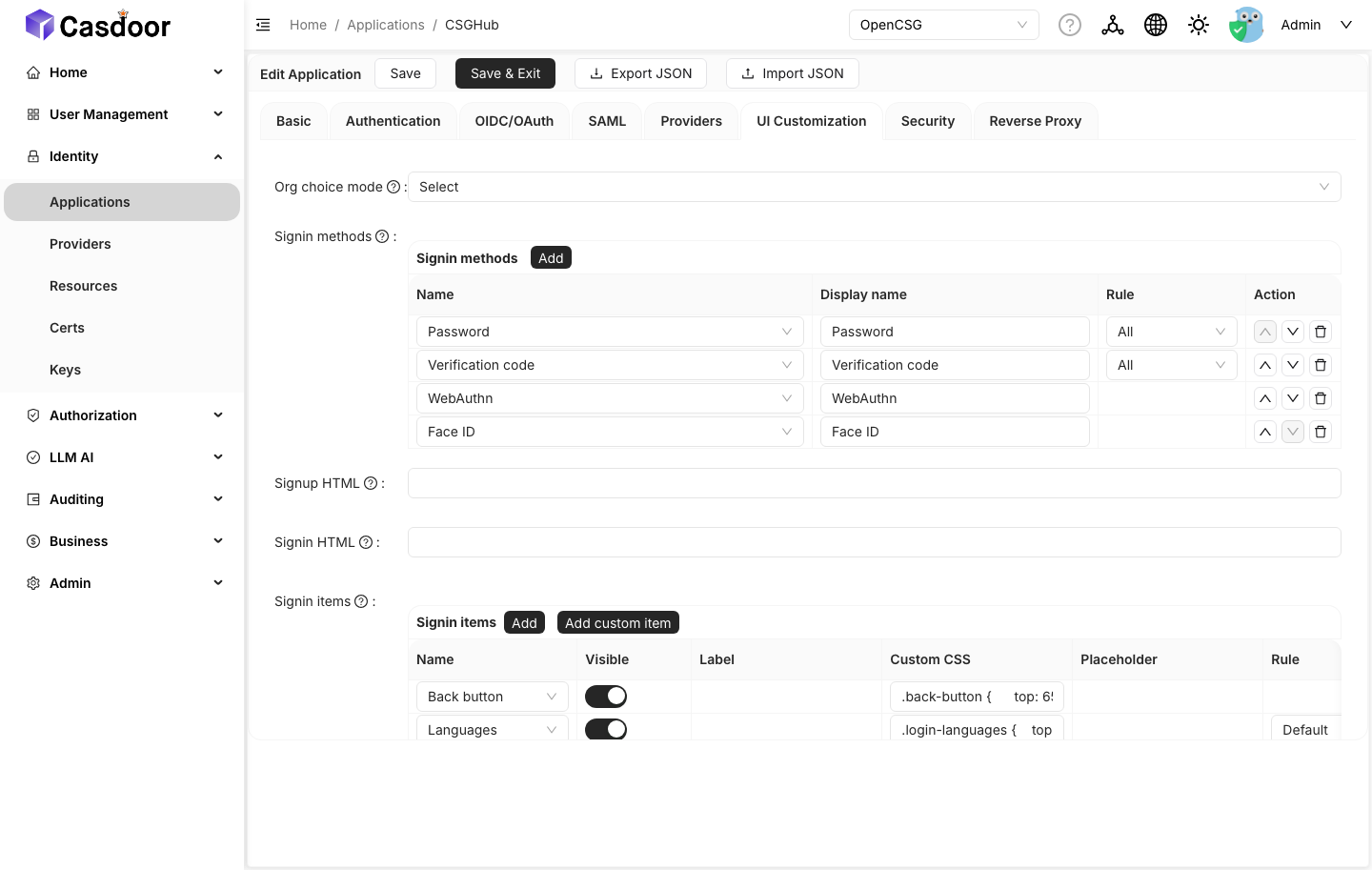
UI Customization
- Organization choice mode:
Select
If csghub-cert is not available in the Cert dropdown during creation, save the application with the other fields first (Organization is required), reopen it, and select the certificate.
Copy the generated Client ID and Client secret from the Basic tab; they become global.casdoor.external.applications.portal.clientId and clientSecret.
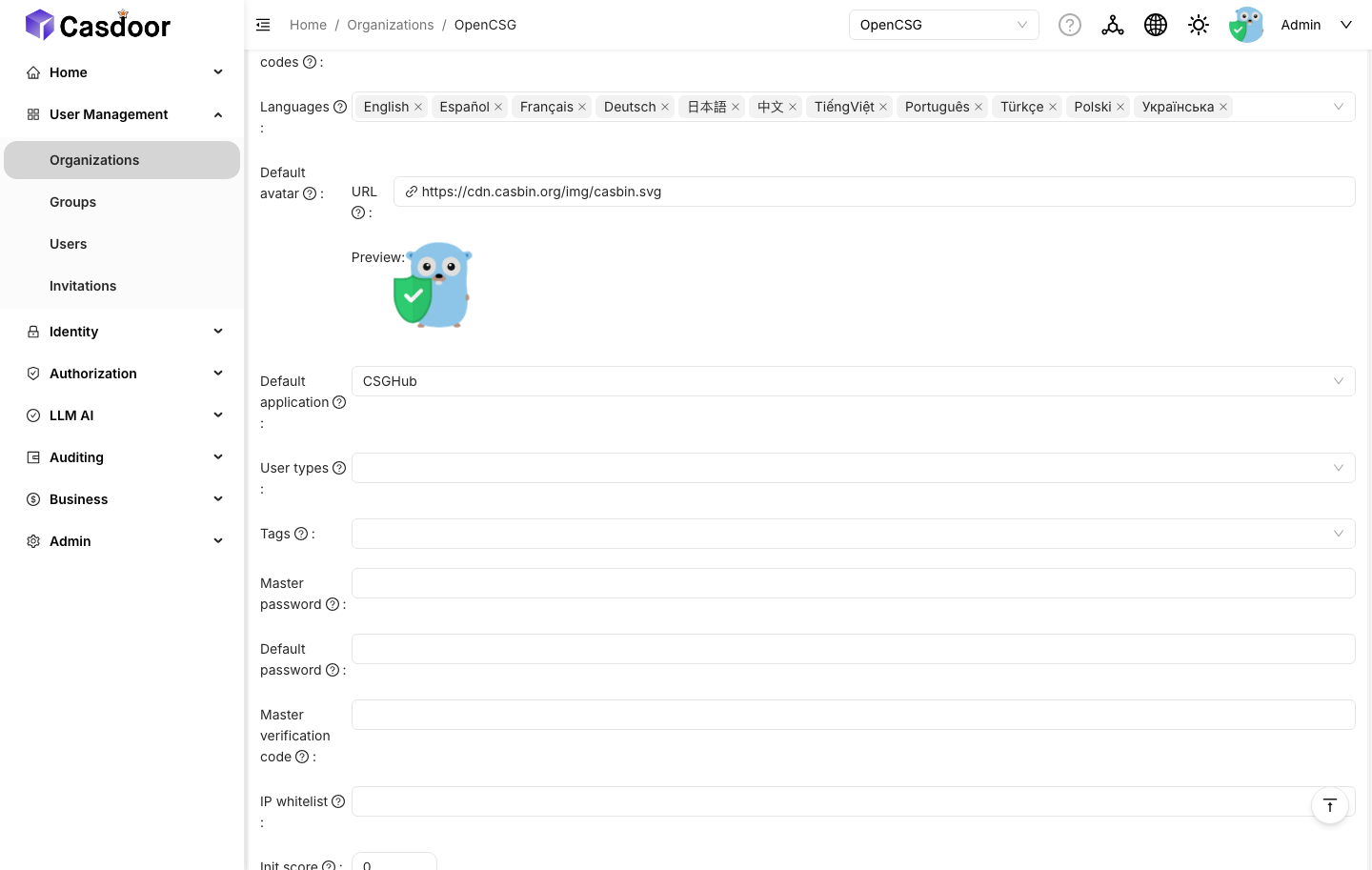
Finally, set Organizations → OpenCSG → Edit → Default application to CSGHub. Step 3 leaves it empty because the application does not exist at that point.
6. Create the Admin application
This application is used by the Temporal and Superset consoles when they are enabled. The tab layout is the same as in the preceding section.
In Casdoor: Applications → Add.
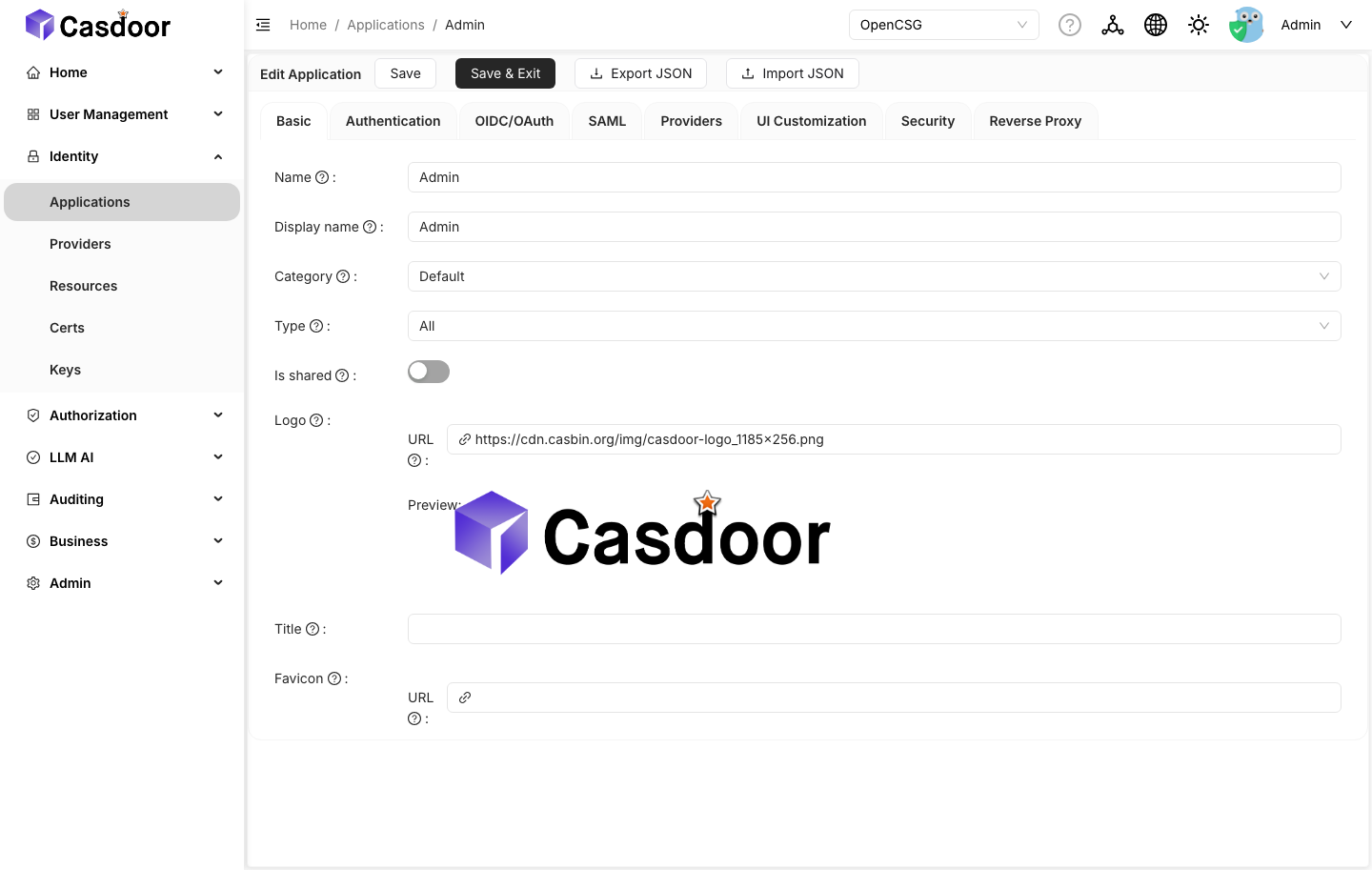
Basic
- Name:
Admin - Organization:
OpenCSG - Cert:
csghub-cert - Redirect URIs:
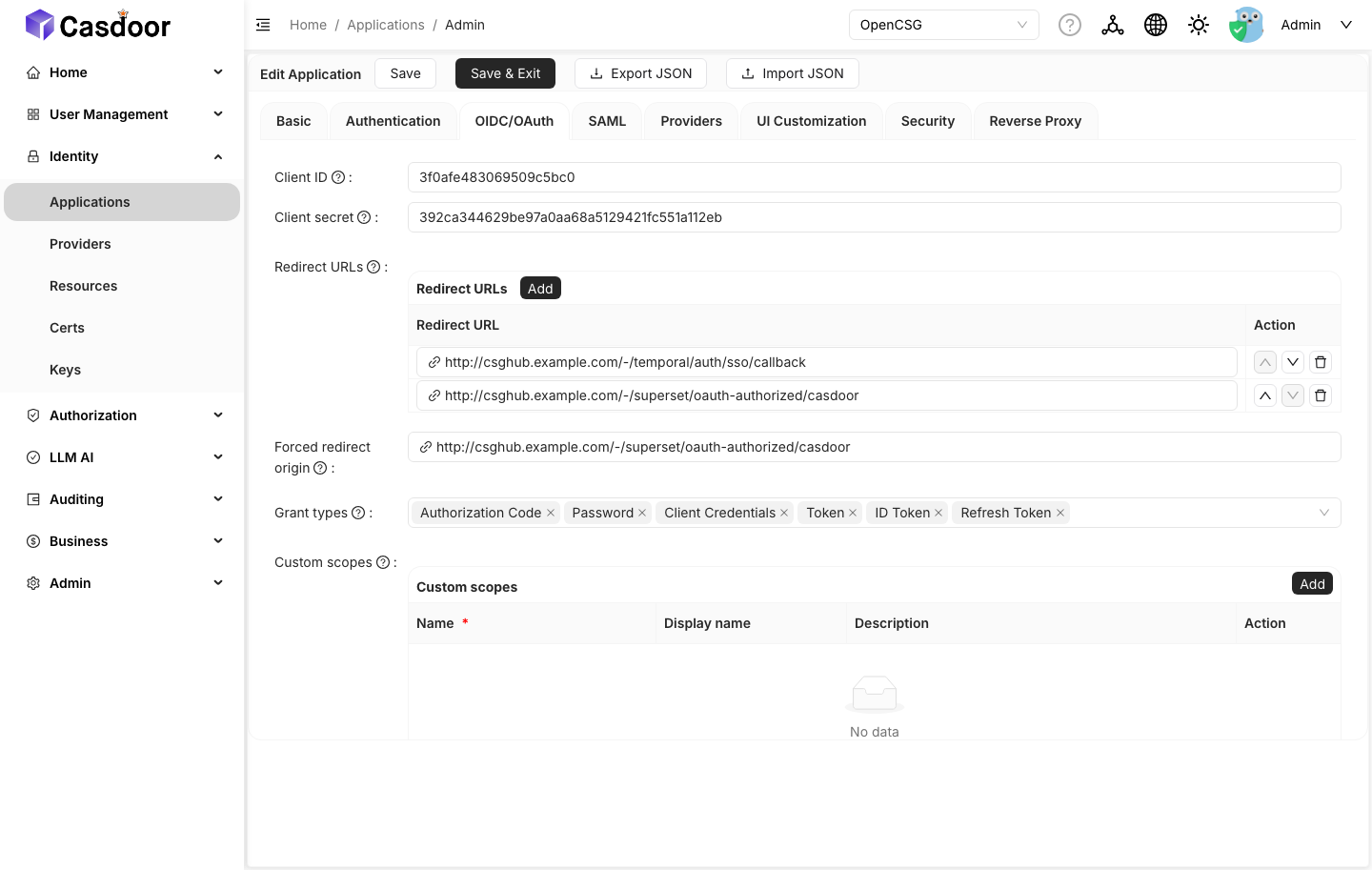
<csghub-endpoint>/-/temporal/auth/sso/callback<csghub-endpoint>/-/superset/oauth-authorized/casdoor
OIDC/OAuth
- Token format:
JWT - Grant types:
Authorization Code
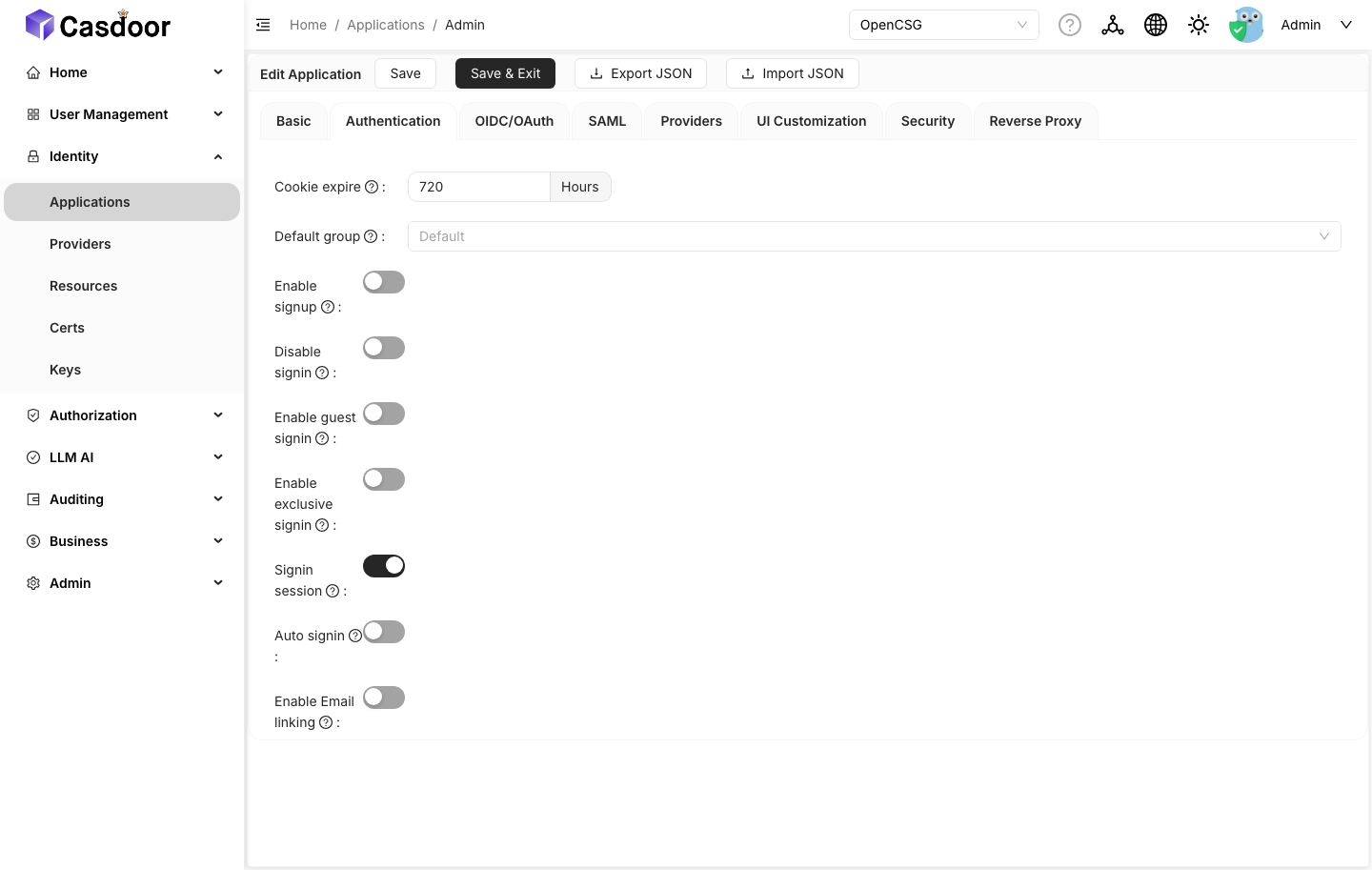
Authentication
- Signin session: on
- Enable signup: off
Copy its client ID and secret into global.casdoor.external.applications.admin.clientId / clientSecret. The chart fails at render time if the Temporal console or Superset is enabled and these values are missing.
7. Create the CSGShip application (optional)
Required only when CSGShip is configured against the external instance.
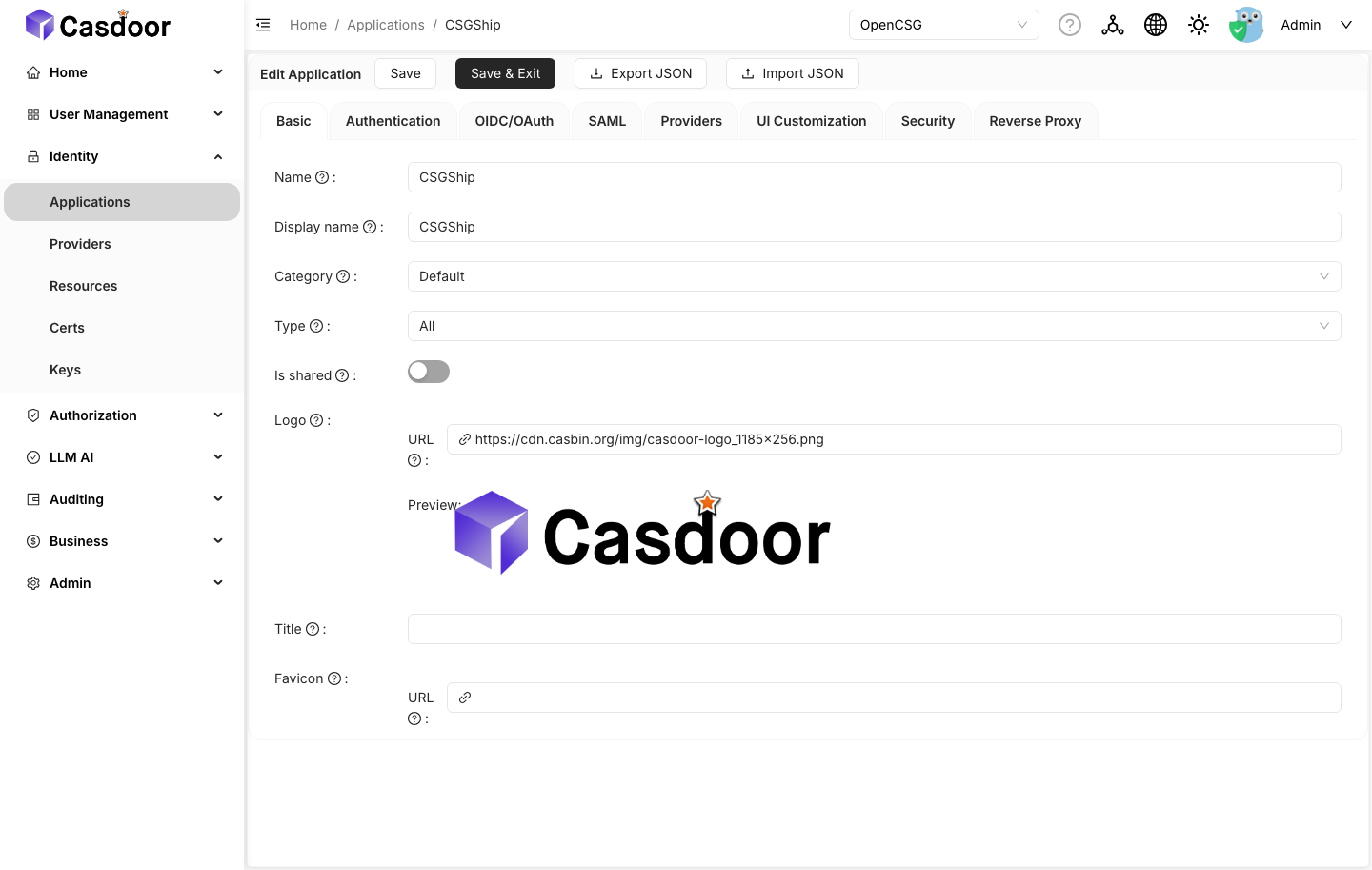
Basic
- Name:
CSGShip - Organization:
OpenCSG - Cert:
csghub-cert - Redirect URI:
<csgship-webAPI-endpoint>/api/v1/account/casdoor/login/callback
OIDC/OAuth
- Token format:
JWT - Grant types:
Authorization Code
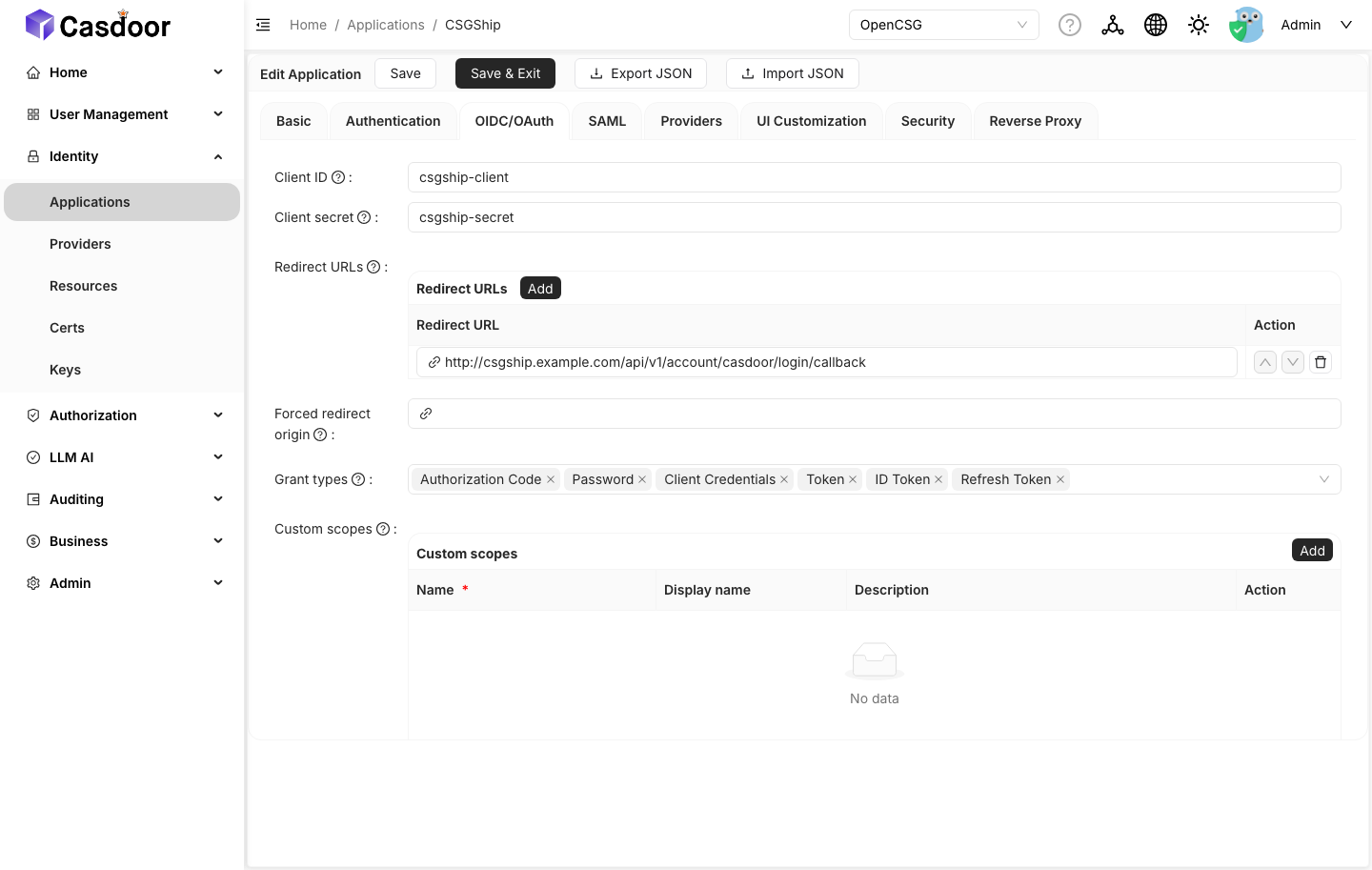
Copy the credentials into global.casdoor.external.applications.csgship.clientId / clientSecret.
CSGShip in the CSGHub umbrella: the umbrella includes CSGShip as a published subchart, and the pinned version does not support an external Casdoor. The chart therefore rejects
global.casdoor.enabled=falsetogether withcsgship.enabled=true. Keepcsgshipdisabled, or deploy the CSGShip chart separately once it providesglobal.casdoorsupport.
8. Create the providers
Applications reference providers by name. Create the required providers under Providers:
Email_Provider(categoryEmail): required for signup email flows.Captcha_Provider(categoryCaptcha): referenced by the default sign-in page.GitLab_Provider(categoryOAuth, typeCustom): required only when GitLab login is used.
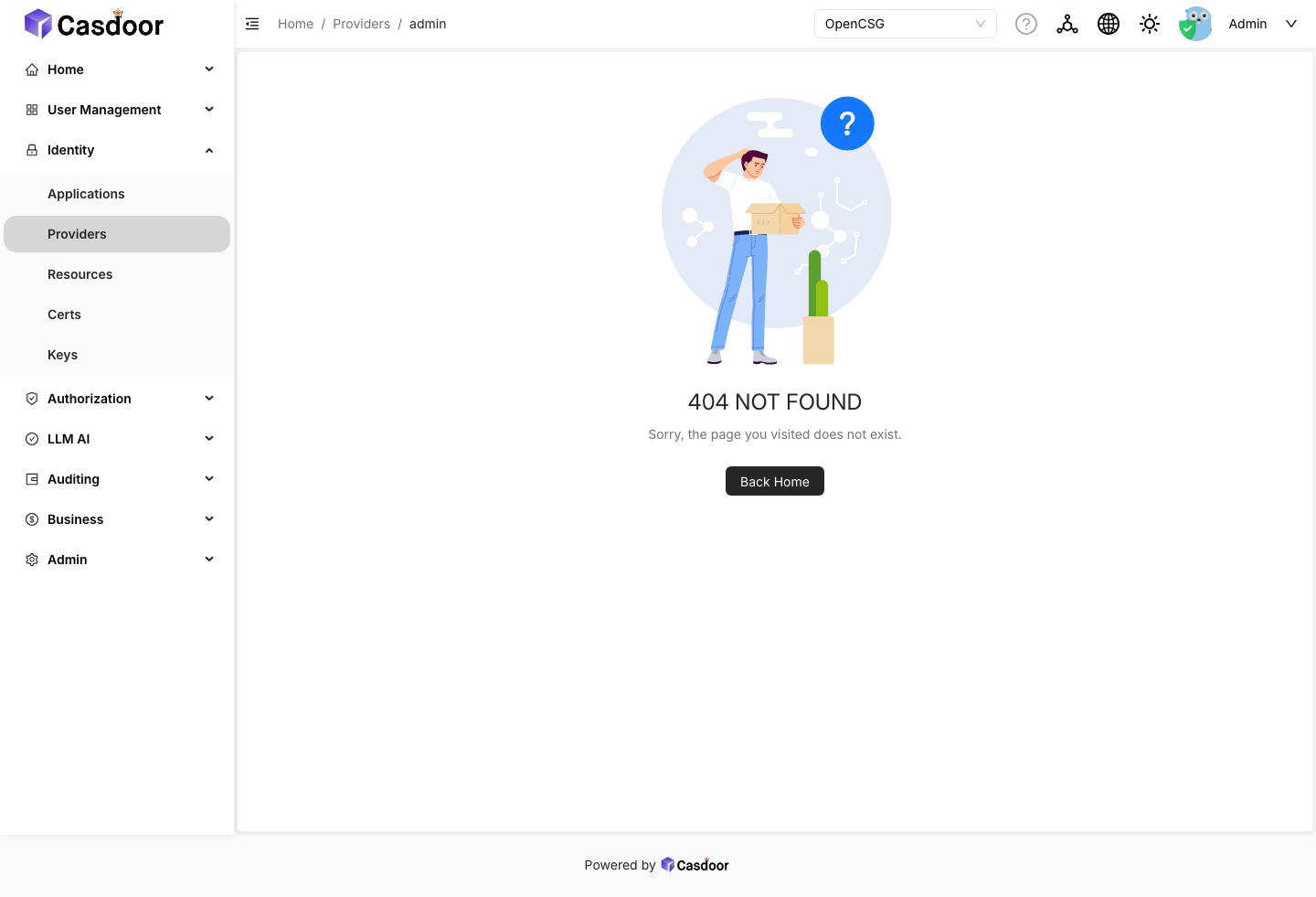
An application that references a missing provider displays an error on the sign-in page.
9. Create the first administrator
The Users page creates a new user in the organization currently selected in the organization selector of the top navigation bar, not in an organization chosen during creation. With the default All selected, Users → Add attempts to create the user in built-in, which Casdoor rejects:
adding a new user to the 'built-in' organization is currently disabled ... all users in the 'built-in' organization are global administrators in Casdoor
Do not circumvent this restriction by enabling Has privilege consent on built-in: that setting grants the user global Casdoor administrator privileges, which CSGHub does not require. Perform the following steps instead:
-
In the top navigation bar, locate the organization selector on the right, between the language/theme buttons and the account menu. It is a wide dropdown that displays
Allby default; switch it toOpenCSG. The selector is visible to administrators only and is hidden in narrow (mobile) layouts; widen the browser window if it is not displayed.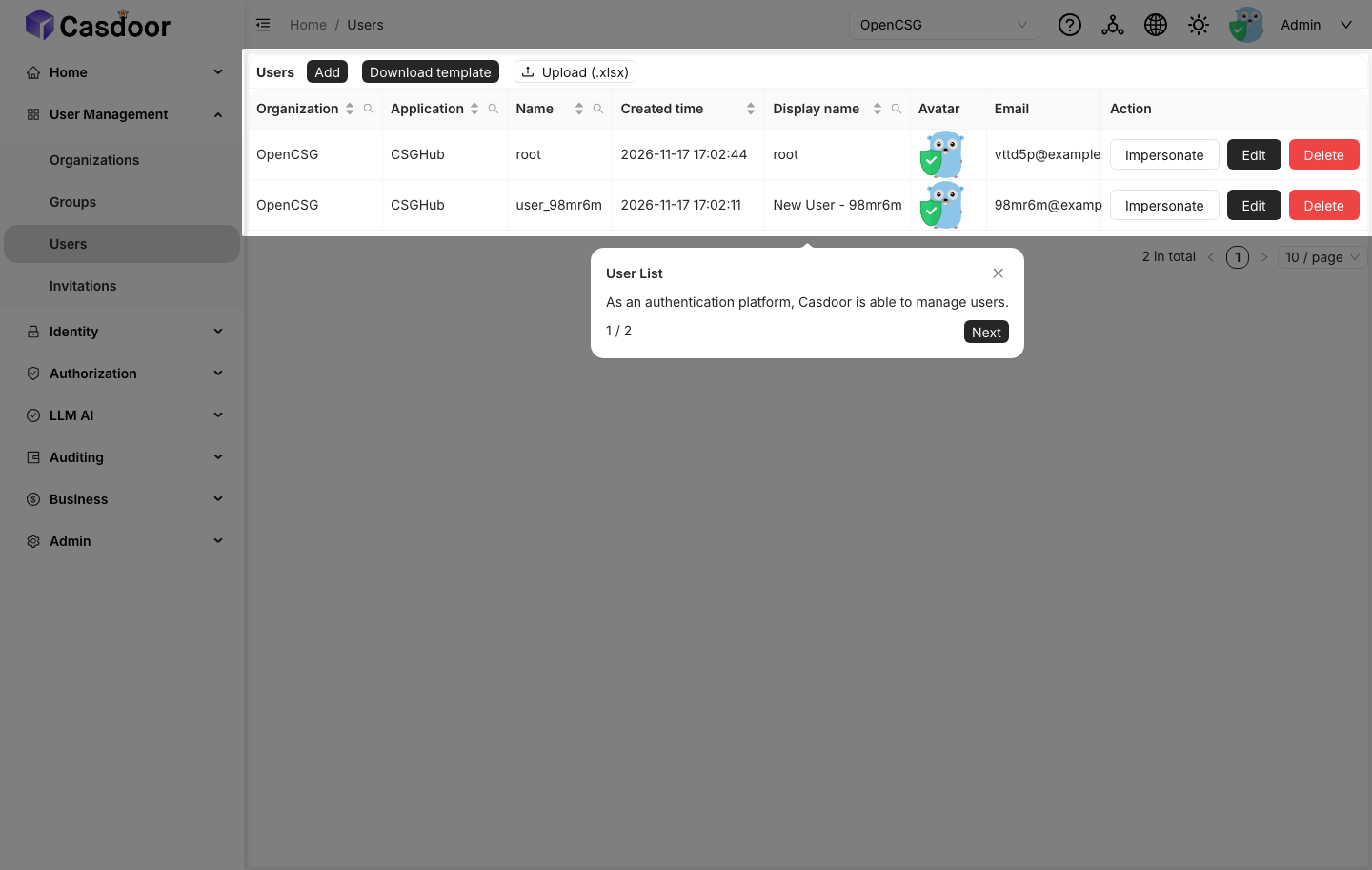
-
Users → Add. Casdoor creates
user_<random>inOpenCSGand opens its edit page.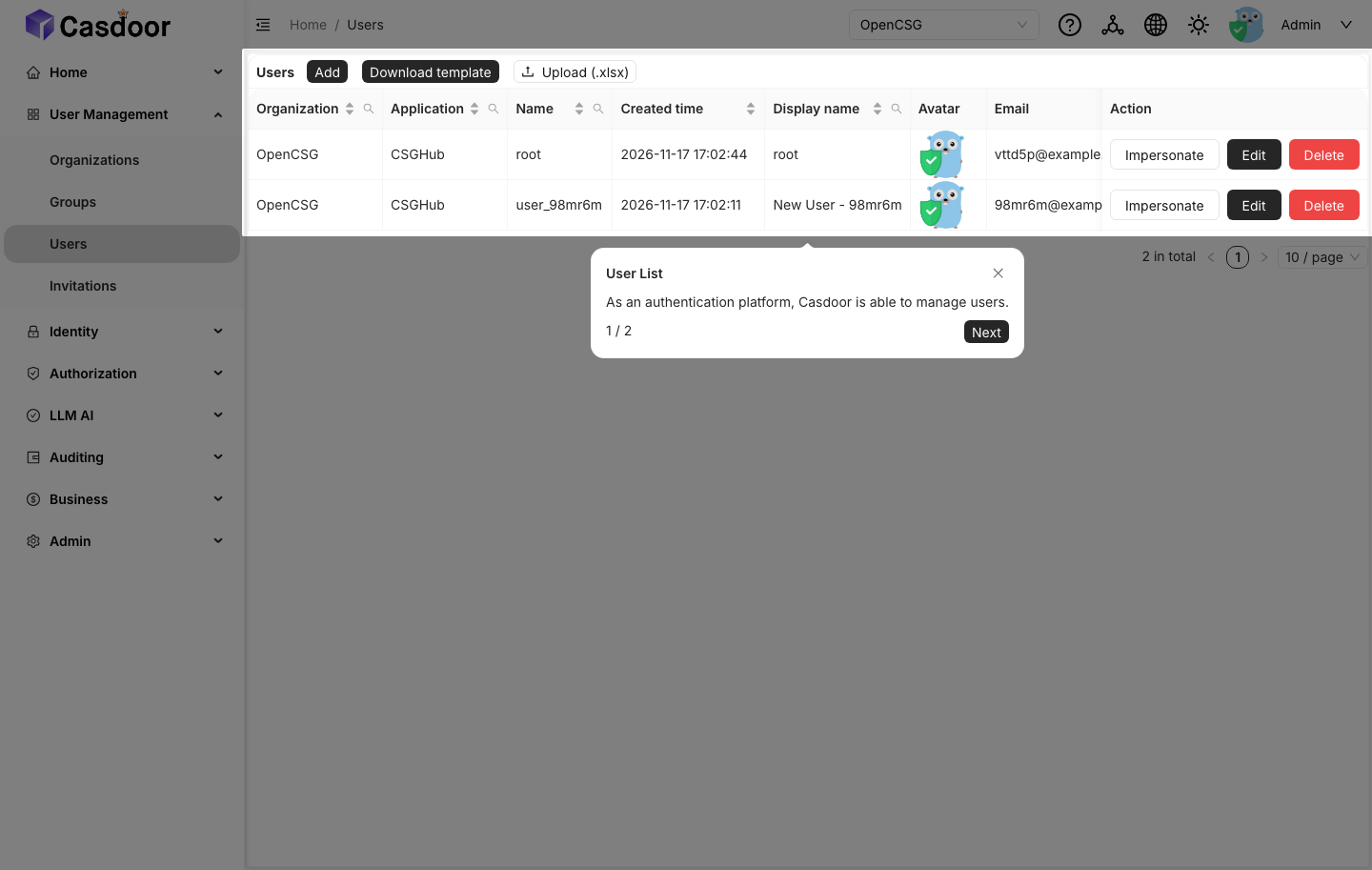
-
Set Name to
root, set Tag tois_admin, select Is admin, and save.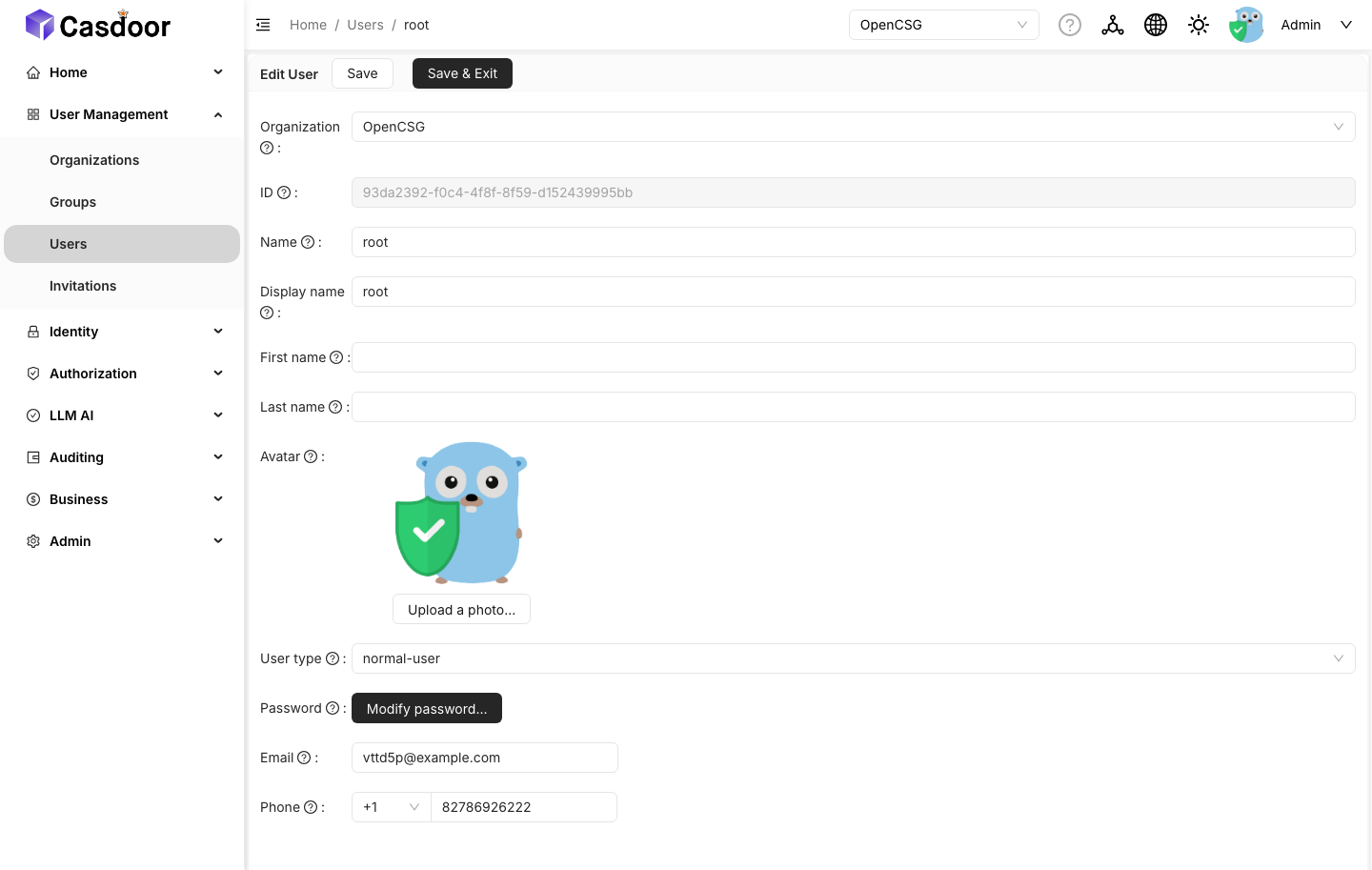
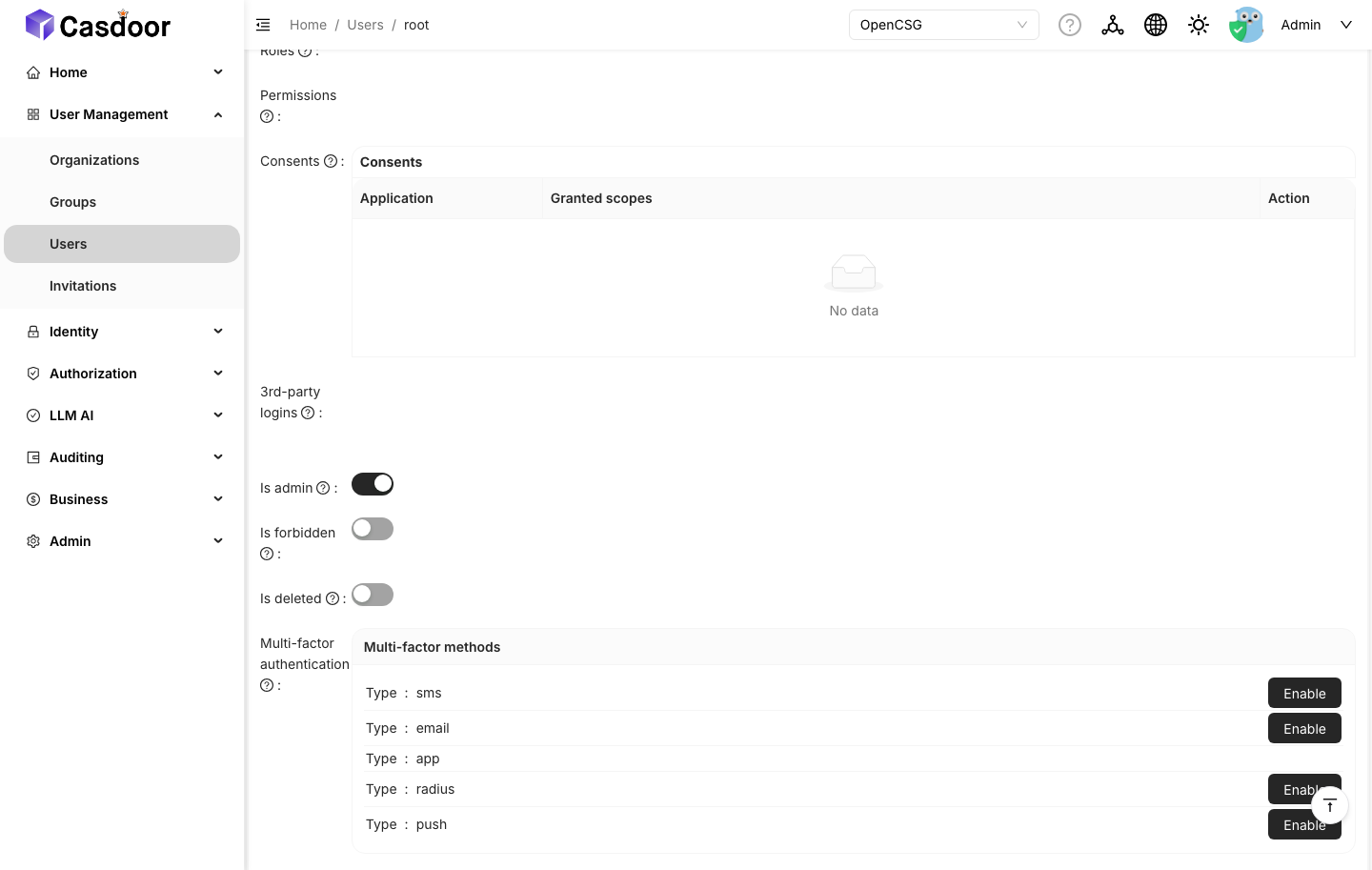
The username must be root: CSGHub promotes root to its administrator on first sign-in. An administrator with a different username is not promoted automatically.
10. Configure the chart
The enable switch, organization/application names, and external settings are all defined in global.casdoor, because the Casdoor instance is shared with the other charts in the deployment:
global:
  casdoor:
    enabled: false                # false = use the external instance
    organization: "OpenCSG"       # organization CSGHub authenticates against
    application: "CSGHub"         # application CSGHub authenticates against
    external:
      endpoint: "https://sso.example.com"
      existingSecret: "csghub-casdoor-cert"
      applications:
        portal:                   # the application the CSGHub portal logs into
          clientId: "<portal client id>"
          clientSecret: "<portal client secret>"
        admin:                    # required when Temporal console or Superset is enabled
          clientId: "<admin client id>"
          clientSecret: "<admin client secret>"
        csgship:                  # only for a standalone CSGShip deployment
          clientId: "<csgship client id>"
          clientSecret: "<csgship client secret>"
The keys under applications represent roles, not Casdoor application names; applications on an external instance may use any name. portal is the application used for CSGHub portal sign-in (its name is set in global.casdoor.application), admin is used by the Temporal and Superset consoles, and csgship is used by CSGShip.
global.casdoor.external.endpoint overrides the derived Casdoor URL in every location where it is consumed: the server configmap, portal login URL, CORS origins, Temporal and Superset OIDC settings, and the redirect route.
When global.casdoor.enabled=false, the chart creates no Casdoor objects. A missing existingSecret or application credential fails rendering, so it is detected at install time; a missing endpoint does not fail rendering, but falls back to the bundled Casdoor address and login fails at runtime, so it must also be set:
| Missing value | When it must be set |
|---|---|
global.casdoor.external.endpoint | always |
global.casdoor.external.existingSecret | CSGHub chart (its server, user and executor pods mount the JWT certificate); not needed by a standalone CSGShip |
global.casdoor.external.applications.portal.clientId / clientSecret | always |
global.casdoor.external.applications.admin.clientId / clientSecret | Temporal console or Superset enabled |
global.casdoor.external.applications.csgship.clientId / clientSecret | standalone CSGShip deployment |
11. Optional: sync the CSGHub administrator role to Casdoor
The bundled deployment synchronizes Casdoor user.is_admin with CSGHub's role_mask through a PostgreSQL foreign data wrapper. With an external Casdoor instance this is not configured automatically; it must be configured manually to enable the behavior.
The external Casdoor database must:
- Be reachable from the bundled PostgreSQL instance.
- Have a role
csghub_server_fdwwithCONNECT,USAGEon schemapublic, andSELECT, UPDATEonpublic."user".
Run fdw-grant.sql on the external Casdoor database to create the role and grants. The csghub_server_fdw role has no password; cross-instance access requires one, and the user mapping below must use the same value:
ALTER ROLE csghub_server_fdw PASSWORD '<password>';
Then create the foreign server and trigger in the CSGHub server database, replacing the host, port, database name and password with the Casdoor values:
CREATE EXTENSION IF NOT EXISTS postgres_fdw;

CREATE SERVER csghub_casdoor_fdw FOREIGN DATA WRAPPER postgres_fdw
  OPTIONS (host '<casdoor-db-host>', port '5432', dbname '<casdoor-db>');

CREATE USER MAPPING FOR <csghub-server-db-user>
  SERVER csghub_casdoor_fdw
  OPTIONS (user 'csghub_server_fdw', password '<password>');

CREATE FOREIGN TABLE public.casdoor_users (id varchar(100), is_admin boolean)
  SERVER csghub_casdoor_fdw OPTIONS (schema_name 'public', table_name 'user');
The trigger function, trigger and backfill are identical to 1789619535_sync_role_mask_admin.sql. The foreign server, user mapping and foreign table in that file duplicate the statements above; skip those sections and apply only the trigger function, trigger and backfill.
If this step is skipped, CSGHub continues to operate, but administrator changes in CSGHub are not propagated to Casdoor, and those users cannot open the Temporal or Superset consoles.
12. Install and verify
helm upgrade --install csghub csghub/csghub \
  --namespace csghub \
  -f values.yaml
Verify the following in order:
- Endpoint:
kubectl -n csghub get configmap <release>-core -o yaml | grep CASDOORdisplays the configured endpoint, organization, application and client ID. - Certificate: the server pod mounts
tls.crt, whose content is thecsghub-certpublic certificate. - Login: open the CSGHub UI and sign in; confirm that the browser returns to
/api/v1/callback/casdoorwithout an error. - Token validation: server logs show no
401/ certificate errors after sign-in. - Optional modules: open the Temporal console (if enabled) and confirm that SSO sign-in succeeds and does not require re-authentication on every visit.
verify.sh runs the read-only checks above against a running release.
Troubleshooting
| Symptom | Likely cause |
|---|---|
| Redirected to Casdoor, then back to the login page | tls.crt is the HTTPS certificate instead of the csghub-cert JWT certificate, or the client ID/secret do not match the application. |
invalid redirect_uri from Casdoor | The redirect URI does not exactly match the scheme/host/port of the CSGHub endpoint. |
invalid_client | The client ID or secret was copied from a different application. |
| Temporal SSO fails while exchanging the token, and the URL points at a host that was not configured | The Casdoor origin differs from global.casdoor.external.endpoint, or origin was changed after the Temporal console started. Align origin, then restart the Temporal deployment. |
| Sign-in succeeds, but every Temporal console visit asks for credentials | The Signin session toggle (Authentication tab) is off on the CSGHub/Admin application. |
| Administrator changes in CSGHub do not reach Casdoor | FDW sync not configured (step 11). |
x509: certificate signed by unknown authority in server logs | The Casdoor endpoint uses a private CA that the server container does not trust. Use a publicly trusted certificate, or mount the CA and set SSL_CERT_FILE through the server service volumes/environments overrides. |
| Sign-in page shows a provider error | The application references a provider that does not exist (step 8). |
Install fails with global.casdoor.enabled=false cannot be combined with csgship.enabled=true | The CSGShip subchart of the umbrella does not yet support an external Casdoor (step 7). Keep csgship disabled. |